Gists

Abstract
Nexus-MCP resolves “Tool Space Interference” in Large Language Models by aggregating multiple MCP servers into a single gateway. Utilizing a strictly deterministic 4-phase workflow—Discovery, Mapping, Schema Verification, and Bridged Execution—it prevents context saturation and tool hallucinations, enabling the use of massive tool ecosystems without sacrificing reasoning accuracy.
Introduction
The integration of Gemini CLI and Google Antigravity with the Model Context Protocol (MCP) has significantly expanded the capabilities of LLM-based agents. However, this expansion introduces a critical performance bottleneck. As the number of available tools grows, Large Language Models (LLMs) suffer from a measurable decline in reasoning accuracy and tool-selection reliability.
Gists

Abstract
This article introduces a major update to gas-fakes enabling dynamic loading of Google Apps Script libraries. This enhancement allows developers to build modular, maintainable Model Context Protocol (MCP) servers. We demonstrate this by integrating sophisticated library-based tools with Gemini CLI and Google Antigravity for seamless Google Workspace automation.
Introduction
I recently published an article titled “Power of Google Apps Script: Building MCP Server Tools for Gemini CLI and Google Antigravity in Google Workspace Automation.” In that piece, I demonstrated how to bridge the Model Context Protocol (MCP) with Google Workspace by implementing an MCP server using Google Apps Script (GAS) and gas-fakes. This successfully established a communication channel for sophisticated AI agents—such as the Gemini CLI and Google Antigravity—to interact directly with Workspace data.
Gists
Abstract
This article demonstrates how to build Model Context Protocol (MCP) tools directly using Google Apps Script. By leveraging the gas-fakes CLI, developers can execute Google Apps Script locally to automate Google Workspace via Gemini CLI and Google Antigravity, streamlining development and eliminating the overhead of dynamic tool creation.
Introduction
With the rapid advancement of generative AI, ensuring the security of executing AI-generated scripts is of paramount importance to prevent arbitrary code execution vulnerabilities. Addressing this, I previously published a secure sandbox environment for Google Apps Script (GAS) known as gas-fakes, which emulates the Apps Script environment locally. Ref
Gists
Abstract
This article redefines Google Apps Script (GAS) as a central integration hub in the AI era. It introduces the forefront of Google Workspace automation, realized through the fusion of the Model Context Protocol (MCP), Agent2Agent (A2A), and the Gemini CLI ecosystem. I cover everything from data integration bridging local and cloud environments (RAG) and sandbox technologies for safely executing AI-generated GAS, to the coordination of autonomous agents on the newly released Google Antigravity. We will explore next-generation work styles and implementation methods where complex workflows are completed autonomously through simple natural language instructions.
Gists

Abstract
This article demonstrates how to integrate the Google Workspace Extension for Gemini CLI with Google Antigravity. It addresses a Model Context Protocol (MCP) tool naming incompatibility using a custom proxy script, enabling seamless, authenticated automation of Google Workspace tasks directly within the Antigravity IDE environment.
Introduction
Since its release, the Gemini CLI has been rapidly adopted across various development scenarios. Ref Its utility increased significantly with the introduction of Gemini CLI Extensions, which simplify the installation and management of Model Context Protocol (MCP) servers. Ref Most recently, the Google Workspace Extension for Gemini CLI was released by Google, providing an MCP server specifically designed to manage Workspace automation. Ref A distinct advantage of this extension is its streamlined authorization process—authentication runs automatically when the Gemini CLI is launched, making it highly efficient.
Gists

Abstract
This article explores automating Google Workspace by integrating Google Antigravity and Gemini 3.0 with Model Context Protocol (MCP) servers. We demonstrate how to overcome tool limits and utilize custom extensions to enable AI agents to securely execute scripts, manage files, and perform RAG-based tasks using private data.
Introduction
Google Antigravity and Gemini 3.0 are ushering in a new era of “Agent-First” development, transforming how we interact with cloud environments. Ref A key component of this evolution is the integration of Model Context Protocol (MCP) servers. When connected to Antigravity, these servers empower the architecture to resolve complex, multi-step tasks by granting the AI direct, standardized access to external tools and proprietary data.
Gists

Abstract
This article demonstrates a cutting-edge workflow for Google Apps Script development using Google Antigravity and Gemini 3.0. By integrating gas-fakes via the Model Context Protocol (MCP), we establish an environment where autonomous agents can generate, unit-test, and execute cloud-based scripts locally, revolutionizing the standard GAS development lifecycle.
Introduction
Google Antigravity has officially been released. Ref This is a revolutionary “Agent-first” IDE powered by Gemini 3, designed to empower autonomous AI agents to plan, code, and verify tasks across the Editor, Terminal, and Browser. It is anticipated that this platform will trigger a paradigm shift in how we develop applications and auto-generate comprehensive documentation, moving the industry from simple code completion to fully agentic workflows.
Gists

Abstract
This article demonstrates how to create a unified file search for Gemini, integrating disconnected local files and Google Workspace data. Using a Google Apps Script-powered extension, users can directly ingest data from Drive, Sheets, and Gmail, enabling a powerful, context-aware RAG system.
Introduction
1. The Challenge of Data Silos
In modern enterprises, data is fragmented. It lives on local machines, in Google Drive, within Google Sheets, and across countless emails. While the Gemini CLI excels at file searches, it traditionally requires manually downloading cloud files to a local environment before they can be used. This workflow is inefficient, error-prone, and creates unnecessary operational overhead, preventing the creation of a truly comprehensive knowledge base for Retrieval-Augmented Generation (RAG).
Here introduces a new Gemini CLI extension that integrates File Search feature. This tool establishes a fully managed Retrieval-Augmented Generation (RAG) system directly on the command line.
The extension is designed to simplify the use of the Gemini API’s File Search, a powerful new feature that enables RAG grounded in personal or proprietary knowledge bases. While the underlying API requires scripting, this Node.js-built CLI extension allows users to seamlessly manage File Search stores and generate context-aware content grounded in their private documents without having to leave the terminal interface.
Gists

Abstract
This article introduces a Gemini CLI extension that integrates File Search feature. This tool provides a fully managed Retrieval-Augmented Generation (RAG) system directly in your command line, enabling content generation grounded in your private documents and data.
Introduction
The Gemini API recently introduced File Search, a powerful feature that enables Retrieval-Augmented Generation (RAG) using your own documents as a knowledge base. This allows you to generate content grounded in personal or proprietary information. While powerful, leveraging this via API calls requires scripting.
GitHub
Abstract
This article introduces a powerful method for developing and testing Google Apps Script (GAS) locally. By leveraging the gas-fakes library, you can build a secure, local Model Context Protocol (MCP) server, enabling the creation of AI-powered tools for Google Workspace automation without deploying to the cloud.
Introduction
gas-fakes, developed by Bruce McPherson, is an innovative library that enables Google Apps Script (GAS) code to run directly in a local environment by substituting GAS classes and methods with their corresponding Google APIs.
Gists

Abstract
This document introduces a powerful integration of the gas-fakes CLI and a Gemini CLI extension, creating a secure and streamlined development workflow for Google Apps Script. This setup enables local testing of AI-generated scripts in a secure sandbox, preventing unintended access to your Google Drive, and provides a seamless transition to cloud deployment.
Introduction
The gas-fakes project by Bruce McPherson is a groundbreaking endeavor that recreates the Google Apps Script (GAS) execution environment on Node.js, enabling local testing and debugging. When Bruce invited me to join the project, I first started by understanding gas-fakes. The project enables local execution by converting GAS service calls (e.g., SpreadsheetApp.create()) into corresponding Google API requests.
I created a Gemini CLI extension as a GAS Development Kit. For this, I developed the CLI of gas-fakes.
Repository
https://github.com/tanaikech/gas-development-kit-extension
Installation
1. Install Gemini CLI
First, install the Gemini CLI using npm:
npm install -g @google/gemini-cli
Next, you will need to authorize the CLI. Follow the instructions provided in the official documentation.
2. Install Clasp
Even when Clasp is not installed, when gas-fakes is installed, you can run Google Apps Script in a sandbox using gas-fakes.
Gists

Abstract
This guide explores a powerful, next-level workflow for Google Apps Script (GAS) development by integrating Gemini CLI Extensions with Visual Studio Code (VSCode). This combination streamlines the entire development process, from script creation and local testing in a secure sandbox to deploying and managing projects, all within a unified and efficient environment.
Introduction
Visual Studio Code (VSCode) is widely recognized as a premier source code editor. The release of the Gemini CLI has dramatically transformed script development by bringing advanced AI capabilities directly into the terminal. In particular, combining Gemini CLI with VSCode creates a powerful development ecosystem, highly effective for languages typically executed locally, such as Python, Node.js, Go and so on. Beyond coding, this setup streamlines content creation, including articles and papers, by leveraging AI for drafting and editing. Ref For cloud-based Google Apps Script (GAS) development, the standard approach involves using VSCode alongside Clasp to manage projects locally. Ref Integrating Gemini CLI into this established workflow promises significant synergistic effects. A recent update has further expanded these possibilities by enabling Clasp to function experimentally as a Model Context Protocol (MCP) server, allowing LLMs to directly interact with GAS project structures. Ref Furthermore, to address security concerns when executing AI-generated GAS code, I have introduced a “fake sandbox” environment for safer testing. Ref and Ref With the recent release of Gemini CLI Extensions, which allow for custom AI tools and specialized workflows, combining these assets creates a vastly superior developer environment. In this article, I will introduce next-level Google Apps Script development by leveraging the combined power of Gemini CLI Extensions and VSCode.
Gists
Abstract
This guide offers a comprehensive walkthrough of the essential steps and key considerations for developing Gemini CLI extensions. It covers setting up a sample project, configuring the gemini-extension.json file, local testing, and automating dependency management with GitHub Actions, providing developers with the foundational knowledge to create their own custom tools.
Introduction
After the release of Gemini CLI Extensions, a growing community of users is developing a wide range of extensions to enhance their command-line workflows. Ref and Ref This trend is expected to continue and strengthen. As the ecosystem expands, knowing how to develop these extensions becomes increasingly valuable for users who want to create their own custom tools. Many useful articles for understanding Gemini CLI Extensions have already been published. In particular, the articles by Romin Irani are very helpful. Ref In this article, I would like to introduce the core parts I paid attention to when I developed my own extensions (Ref). I hope this article proves useful. As a sample tool in this article, the current time is returned using Node.js.
This Gemini CLI Extension simplifies Google Workspace automation. It installs a local Model Context Protocol (MCP) server that communicates with a powerful, securely authorized backend built on Google Apps Script Web Apps, overcoming previous complex setup and performance bottlenecks.
You can see the details at my repository.
https://github.com/tanaikech/ToolsForMCPServer-extension
Gists

Abstract
This project simplifies Google Workspace automation by using a Gemini CLI Extension. It installs a local Model Context Protocol (MCP) server that communicates with a powerful, securely authorized backend built on Google Apps Script Web Apps, overcoming previous complex setup and performance bottlenecks.
Introduction
In order to achieve Google Workspace Automation with seamless authorization and safety, I have published a Model Context Protocol (MCP) server built by Google Apps Script Web Apps. Ref This is very useful because Google Apps Script provides native, secure authorization for Google Workspace APIs like Gmail, Drive, and Calendar. However, there was a bottleneck in the complex installation and a long loading time of the MCP server. Recently, Gemini Extensions have been released. Ref By this, tools and MCP servers can be directly and easily installed from sources like GitHub repositories using a simple command. From this situation, I attempted to implement this simplified installation method on the MCP server built by Google Apps Script Web Apps.
Gists
Abstract
This article presents a method for optimizing Google Workspace automation by dynamically converting frequently used, AI-generated Google Apps Scripts into permanent, reusable tools. By integrating the Gemini CLI with a gas-fakes sandbox via an MCP server, we demonstrate how to securely add and manage these custom tools, reducing operational costs and improving efficiency.
Introduction
When using generative AI to create scripts, ensuring the secure execution of the generated code is critical. This is especially true for applications that manage cloud resources like Google Workspace, where it is paramount to prevent unintended data access or modification. The standard permission model for Google Apps Script often requires broad access, creating a significant security risk when running code from untrusted sources.
Gists
Abstract
This article introduces a method for integrating Google’s Gemini CLI and GitHub’s Copilot CLI using the Model Context Protocol (MCP). By configuring one CLI as an MCP server, the other can invoke it from a prompt, enabling a powerful, collaborative interaction between the two AI assistants for enhanced development workflows.
Introduction
Recently, GitHub released the Copilot CLI, a command-line interface that brings the power of GitHub Copilot directly to your terminal. It assists with various tasks, including answering questions, writing code, and interacting with GitHub. Concurrently, Google has already introduced the Gemini CLI, an open-source AI agent that integrates the Gemini models into the command line to help developers with coding, problem-solving, and task management.
Gists
Abstract
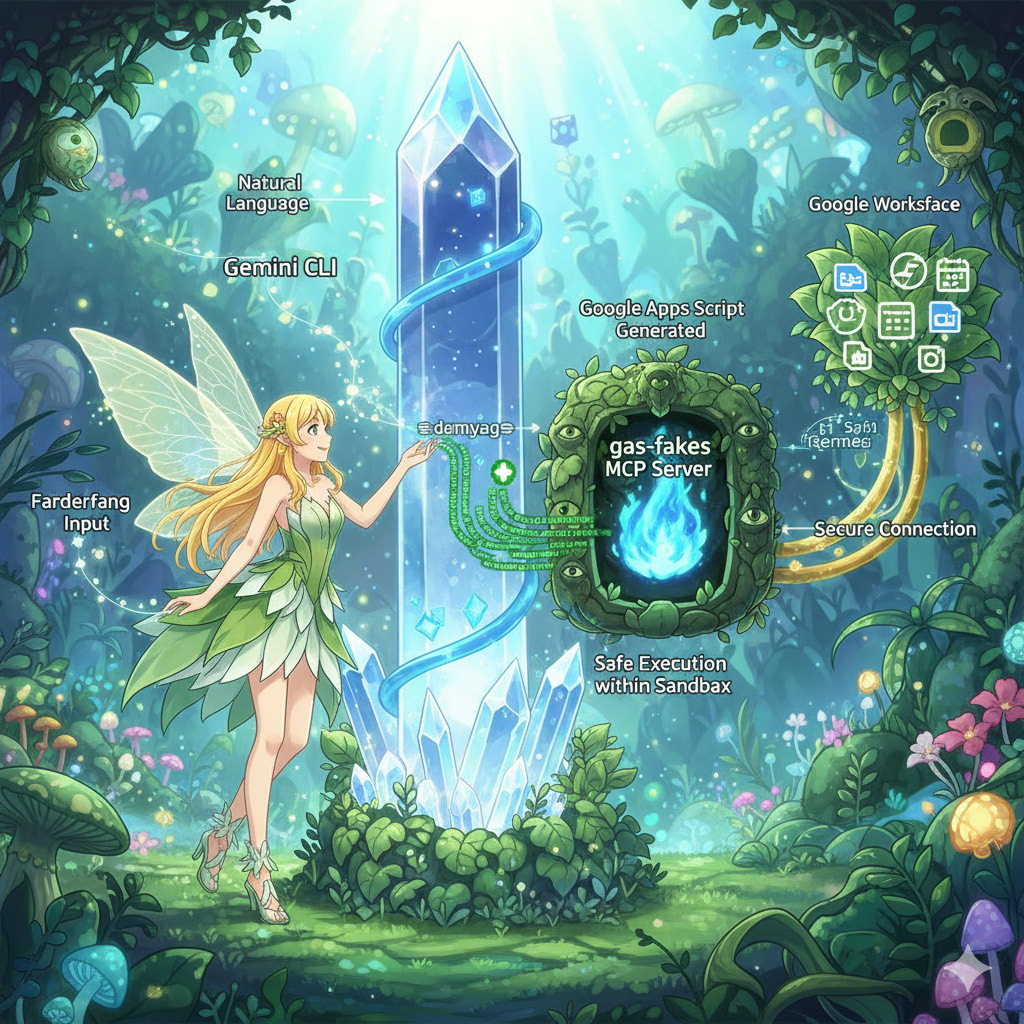
This article introduces a method for securely executing AI-generated Google Apps Script. By implementing a “fake-sandbox” using the gas-fakes library as an MCP server, users can empower the Gemini CLI to safely automate Google Workspace tasks with granular, file-specific permissions, avoiding significant security risks.
Introduction
“Have you ever faced a task that isn’t part of your routine but is tedious to do manually, like, ‘I need to add a “[For Review]” prefix to the titles of all Google Docs in a specific folder this afternoon’? Or perhaps you’ve thought, ‘I want to use AI to work with my spreadsheets, but I’m concerned about the security implications of granting a tool full access to my Google Drive’?
Gists

Abstract
This guide explores a powerful workflow for generating articles and other content by integrating Gemini CLI, a Model Context Protocol (MCP) server, and Visual Studio Code (VSCode). Discover how to leverage this combination for efficient, context-aware content creation, modification, and distribution, complete with practical examples and prompts.
Introduction
The integration of Gemini CLI with Visual Studio Code (VSCode) creates a highly efficient and context-aware environment for developers and writers alike. This setup allows the AI-powered Gemini CLI to access the VSCode workspace, making it aware of open files and selected text to provide relevant and targeted suggestions. A key feature is the native in-editor diffing, which enables a side-by-side review and modification of AI-generated changes before acceptance, offering greater control over the final output.
Gists

Abstract
This article introduces a Node.js wrapper that dramatically reduces the startup time for the Gemini CLI when used with MCP servers built on Google Apps Script. This optimization enhances user experience by accelerating the initialization process, achieving a speed boost of approximately 15 times.
1. Introduction
The Model Context Protocol (MCP) is a vital open standard enabling AI agents to connect with external tools and data sources for complex, real-world tasks. To integrate the Gemini AI agent with Google Workspace, I developed two open-source tools: MCPApp, for managing the MCP server lifecycle, and ToolsForMCPServer, a suite of tools for interacting with services like Gmail and Drive. These are built with Google Apps Script for use with the Gemini CLI.
You can see the detailed information here https://github.com/tanaikech/ToolsForMCPServer
You can see the detailed information here https://github.com/tanaikech/ToolsForMCPServer
Gists

Abstract
This article demonstrates integrating Google Maps with natural language using the Gemini CLI and an MCP server. This powerful combination allows users to automate complex location-based tasks, such as route planning and information retrieval, through simple, intuitive text-based prompts.
Introduction
The Gemini CLI, when paired with Model Context Protocol (MCP) servers, is a powerful tool for integrating various applications with natural language. When the MCP servers are built using Google Apps Script Web Apps, it becomes easy to integrate Google Workspace and other Google APIs with seamless authorization. This concept has been explored in several articles, which you can find here: Ref, Ref, Ref, Ref, Ref, Ref, Ref. This article introduces the integration of Google Maps and natural language using the Gemini CLI with an MCP server.
You can see the detailed information here https://github.com/tanaikech/ToolsForMCPServer
Gists

Abstract
This report introduces a powerful method for automating Google Analytics tasks using the Gemini CLI and a custom MCP (Model Context Protocol) server built with Google Apps Script. This integration enables streamlined web page analysis through simple natural language commands, simplifying authorization and complex data retrieval workflows.
Introduction
Accessing and interpreting web analytics data often involves navigating complex interfaces and manual report generation. However, the emergence of natural language interfaces is changing this paradigm. Gemini CLI, when paired with MCP servers, allows users to orchestrate sophisticated, multi-step workflows using conversational commands. This creates a more intuitive and efficient way to interact with powerful services like Google Analytics.
Gists

Abstract
This document demonstrates a transformative method for unifying Google Workspace applications by using natural language. Through the integration of the Gemini CLI with MCP, this approach empowers users to intuitively manage Google Drive, Gmail, Google Calendar, Drive Activity, and Google People. Complex tasks and collaborative workflows are streamlined into simple, conversational text commands.
Introduction
In today’s dynamic, collaborative environments, managing document workflows, tracking changes, and coordinating team efforts can be fragmented and inefficient. This article introduces a powerful solution that unifies these processes by leveraging the Gemini CLI and MCP (Model Context Protocol). This integration breaks down the barriers between applications, allowing users to orchestrate complex tasks across Google Workspace with natural language prompts. Whether you’re finding a file in Drive, checking its comment history, retrieving contributor details from Contacts, and drafting a thank-you email in Gmail, these actions can now be executed from a single, conversational interface, dramatically boosting productivity.
Gists
Abstract
Automate Google Classroom management with natural language. This guide details using the Gemini CLI and an MCP server to streamline creating classes, managing assignments, and interacting with students.
Introduction
Unlock the power of natural language to command your Google Workspace. I’ve recently demonstrated how you can automate Google Workspace applications using simple, conversational commands through the Gemini CLI and the MCP (Model Context Protocol) server.
MCPApp was updated to v2.0.7
-
v2.0.7 (August 6, 2025)
-
Starting with v2.0.7, you can now selectively enable or disable the LockService.
- By default, this library runs with the LockService enabled. To disable it, simply modify
return new MCPApp.mcpApp({ accessKey: "sample" }) to return new MCPApp.mcpApp({ accessKey: "sample", lock: false }).
- When the LockService is disabled (
lock: false), asynchronous requests from clients like the Gemini CLI may see an increase in processing speed. However, it’s important to note that the maximum number of concurrent requests must not exceed 30. Please use this option with caution.
You can see the detail information here https://github.com/tanaikech/MCPApp
-
v1.0.13 (August 1, 2025)
prompts/get was updated. And, 3 prompts were added.
You can see the detailed information here https://github.com/tanaikech/ToolsForMCPServer
MCPApp was updated to v2.0.6
-
v2.0.6 (August 1, 2025)
- “prompts/get” method was updated.
You can see the detail information here https://github.com/tanaikech/MCPApp
Gists
Abstract
This report provides a comprehensive overview of how to utilize prompts within the Gemini Command-Line Interface (CLI). Leveraging a Google Apps Script MCP server, we will explore practical examples, including roadmap generation, real-time weather inquiries, and Google Drive file searches. This enhanced document offers more in-depth explanations and a broader context to empower users in their understanding and application of these powerful features.
Introduction
The Model Context Protocol (MCP) establishes a standardized framework for servers to offer clients predefined, structured prompt templates. These user-controllable prompts, customizable with arguments, are engineered to streamline interactions with large language models. The Gemini CLI, starting with version v0.1.15, integrates support for these prompts, significantly expanding its capabilities.
-
v1.0.12 (July 31, 2025)
- At Gemini CLI v0.1.15,
prompts/list was called even when prompts wasn’t included in capabilities. This resulted in the error Error discovering prompts from gas_web_apps: MCP error -32001: Request timed out when prompts wasn’t returned for prompts/list. To resolve this, I updated ToolsForMCPServer to return an empty array for prompts, which eliminated the error. Consequently, with this update in v1.0.12, you can now set custom prompts and resources.
You can see the detailed information here https://github.com/tanaikech/ToolsForMCPServer
MCPApp was updated to v2.0.5
-
v2.0.5 (July 31, 2025)
- A bug was removed.
You can see the detail information here https://github.com/tanaikech/MCPApp
Gists
Abstract
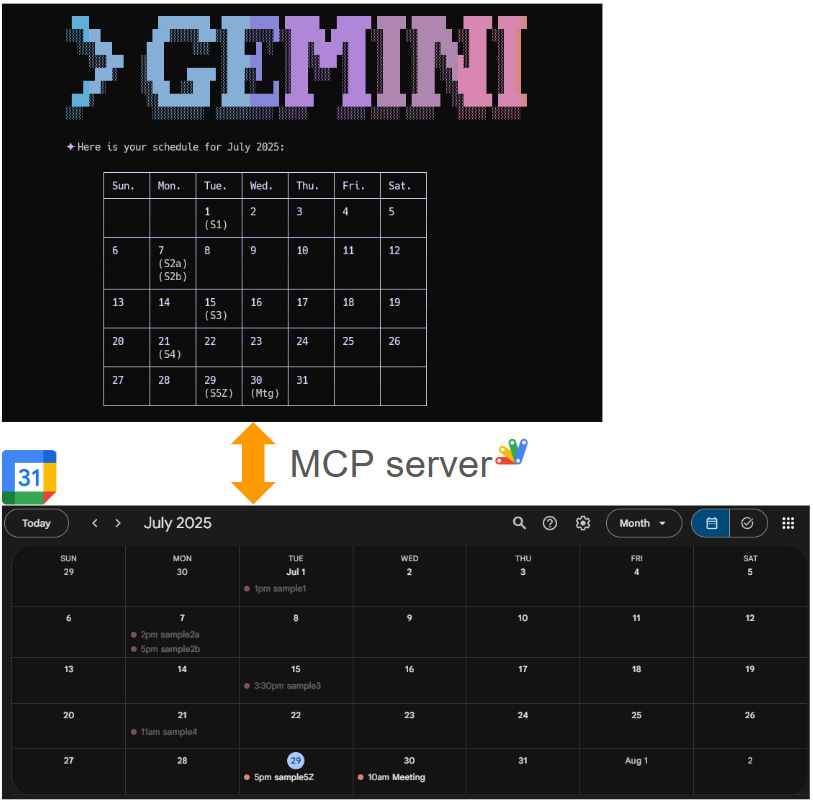
This report demonstrates managing Google Calendar from the command line using Gemini CLI and an MCP server, enabling powerful, scriptable automation for your schedule.
Introduction
Following up on my previous report, “Next-Level Data Automation: Gemini CLI, Google Sheets, and MCP,” I’m excited to present the next installment in this series. My earlier report, published on Medium, detailed an innovative approach to managing Google Sheets through the powerful combination of Gemini CLI and an MCP server. Ref
-
v1.0.10 (July 26, 2025)
- When I updated Gemini CLI from v0.1.12 to v0.1.13, an issue related to the schema of MCP occurred. Ref So, as a workaround at the time, I updated this library. But when I updated Gemini CLI to v0.1.14, I confirmed that the previous schema could be used. So, I reimplemented the previous schema. By this, the request body for APIs can be directly generated using Gemini CLI v0.1.14.
You can see the detailed information here https://github.com/tanaikech/ToolsForMCPServer
-
v1.0.9 (July 24, 2025)
- The following 2 new tools were added.
- description_youtube: Describe a YouTube video by providing the URL.
- create_google_docs_from_markdown_on_google_drive: Create a Google Document from a markdown format.
You can see the detailed information here https://github.com/tanaikech/ToolsForMCPServer
-
v1.0.8 (July 23, 2025)
- An issue occurred when I updated Gemini CLI from v0.1.12 to v0.1.13. Ref Fortunately, Google is already aware of this issue, and I’m awaiting a resolution. In the meantime, I’ve received emails about it, so I’ve updated ToolsForMCPServer for Gemini CLI v0.1.13. The detailed updates are as follows: I confirmed that all tools in ToolsForMCPServer v1.0.8 worked when tested with Gemini CLI v0.1.13.
oneOf has been removed from the schema of each tool.- Following this report, the request body is now generated on the MCP server side. Therefore, when using the tools
manage_google_docs_using_docs_api, manage_google_sheets_using_sheets_api, and manage_google_slides_using_slides_api, please use your API key for the Gemini API.
You can see the detailed information here https://github.com/tanaikech/ToolsForMCPServer
-
v1.0.7 (July 19, 2025)
- Added a
getToolList method for retrieving all current tools in the library.
- Tools can be filtered using
enables or disables as an array argument for the getTools method. If enables is used, only the tools specified in the enables array will be used. If disables is used, all tools except those specified in the disables array will be used. If neither enables nor disables is used, all tools will be used.
You can see the detailed information here https://github.com/tanaikech/ToolsForMCPServer
Gists
Abstract
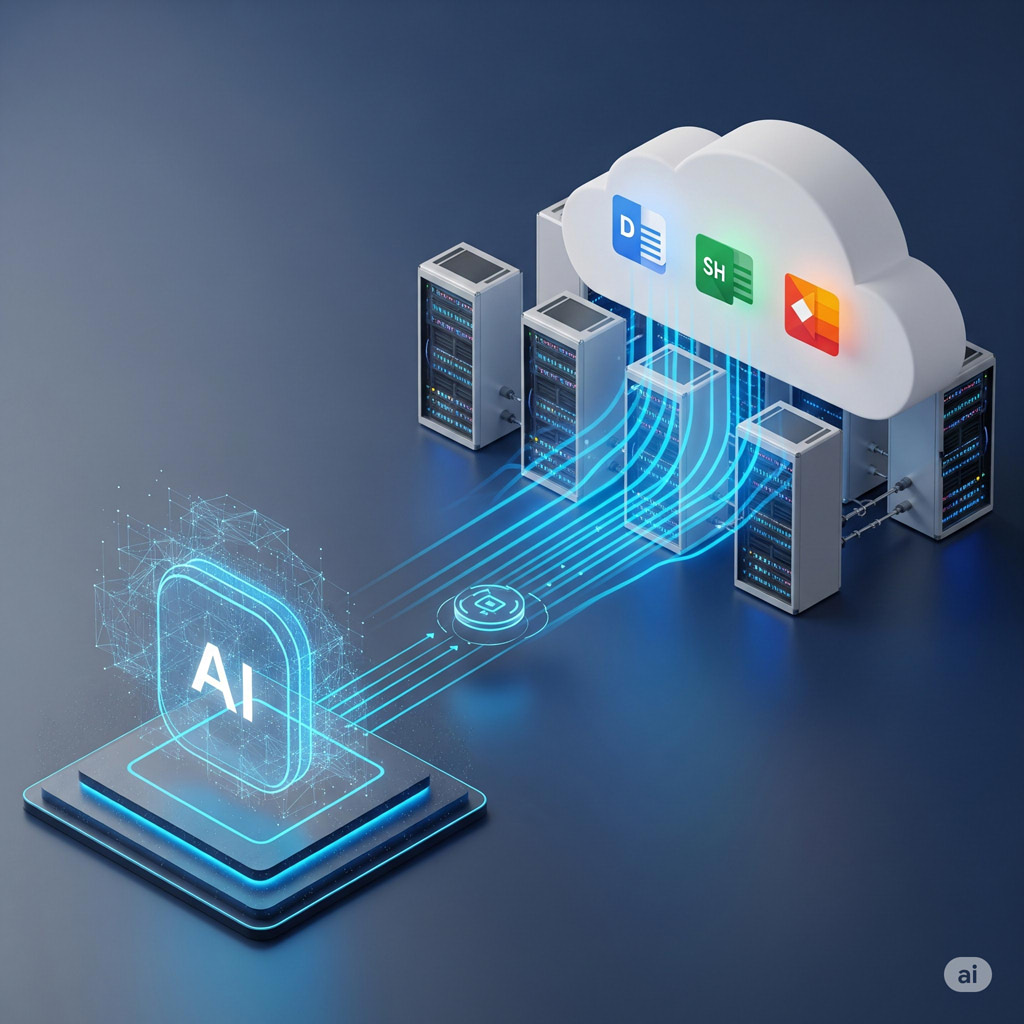
This report explores an optimized approach to integrating the Gemini CLI with Google Workspace via an MCP server. Traditionally, this process requires numerous custom tools, which increases development costs. We propose leveraging the inherent JSON schema requirements of the MCP server tools to directly construct request bodies for the batchUpdate methods of the Google Docs, Sheets, and Slides APIs. This approach aims to consolidate document management into just three core tools, significantly streamlining development and offering a scalable, cost-effective solution for Google Workspace automation and broader API integrations.
Gists
Abstract
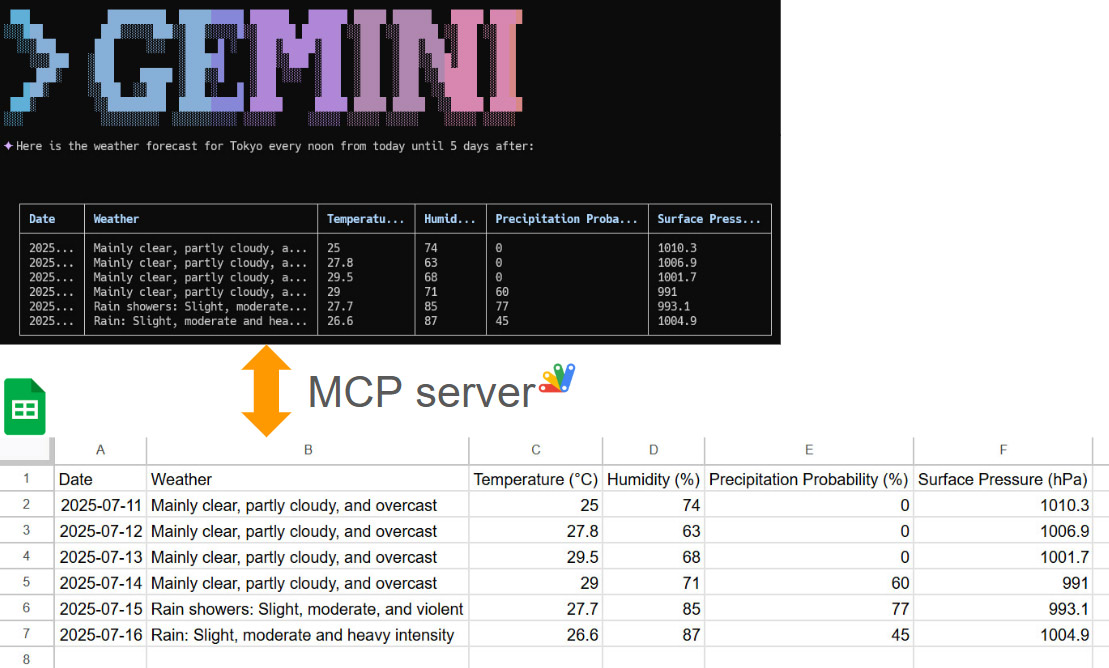
This article explores the integration of the Gemini Command-Line Interface (CLI) with Google Sheets using the Model Context Protocol (MCP). It demonstrates how to leverage the open-source projects MCPApp and ToolsForMCPServer to create a bridge between the Gemini CLI and Google Workspace. This enables users to perform powerful data automation tasks, such as creating, reading, and modifying tables in Google Sheets directly from the command line, using natural language prompts. The article provides practical examples and sample prompts to illustrate the seamless workflow and potential for building sophisticated, AI-powered applications within the Google Cloud ecosystem.
Gists
Abstract
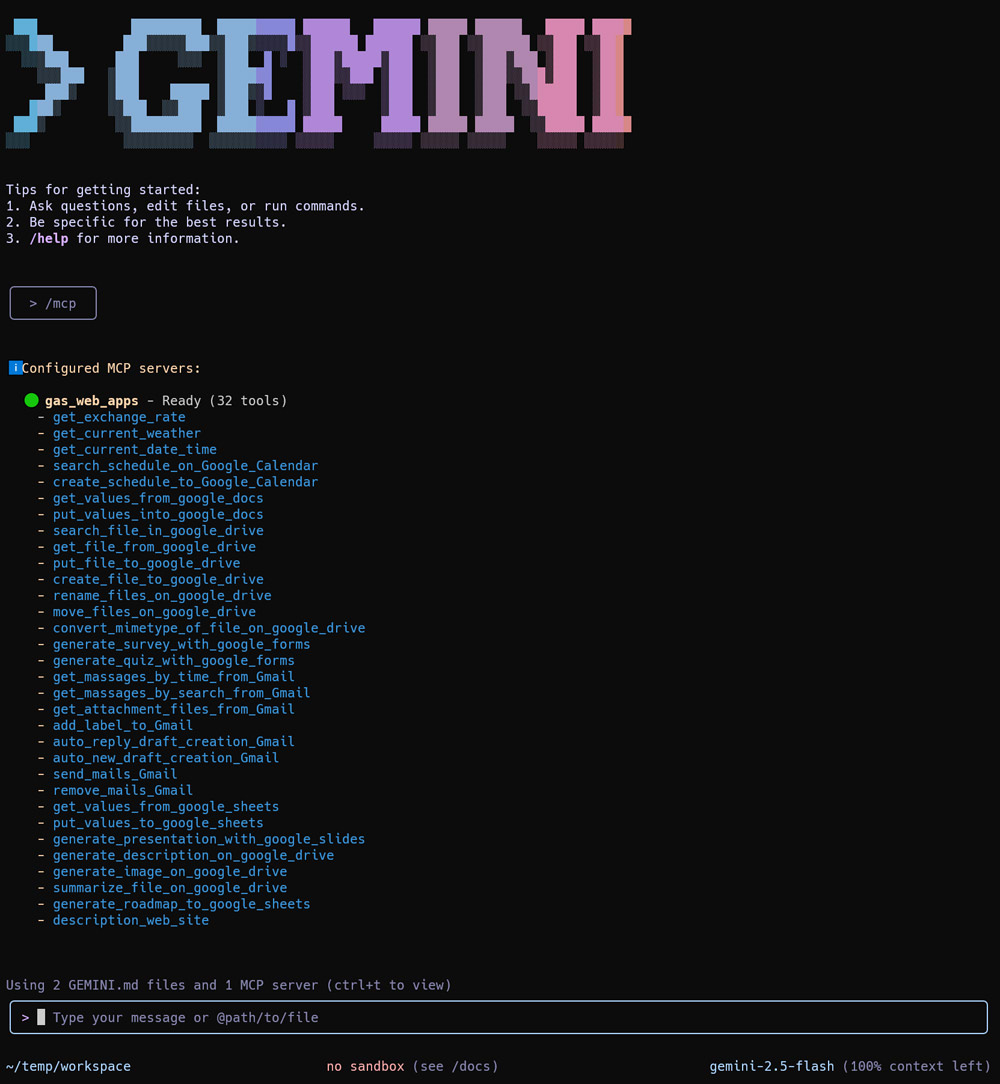
This report introduces ToolsForMCPServer, an enhanced Google Apps Script library that expands the capabilities of Gemini CLI. It showcases new tools that streamline complex workflows, with a special emphasis on facilitating seamless file content transfer and management between a user’s local environment and Google Drive.
Introduction
This report details significant enhancements to ToolsForMCPServer, a powerful Google Apps Script library designed to work in tandem with Gemini CLI. By integrating this library with a Model Context Protocol (MCP) server, the capabilities of Gemini CLI are dramatically expanded, especially in its interaction with Google Workspace services. This document will explore the core architecture that makes this possible, introduce the new tools available in the library, and demonstrate their power through practical examples that bridge the local command line with the cloud.
Gists

Abstract
This report details two methods for processing files using the Gemini CLI and a Google Apps Script MCP server: direct Base64 encoding and indirect transfer via the Google Drive API using ggsrun. The direct method proved ineffective due to token limits. The recommended approach, leveraging ggsrun, allows for efficient, scalable file transfers by using file IDs instead of embedding content within the prompt, enabling advanced automation capabilities.
Gists
Abstract
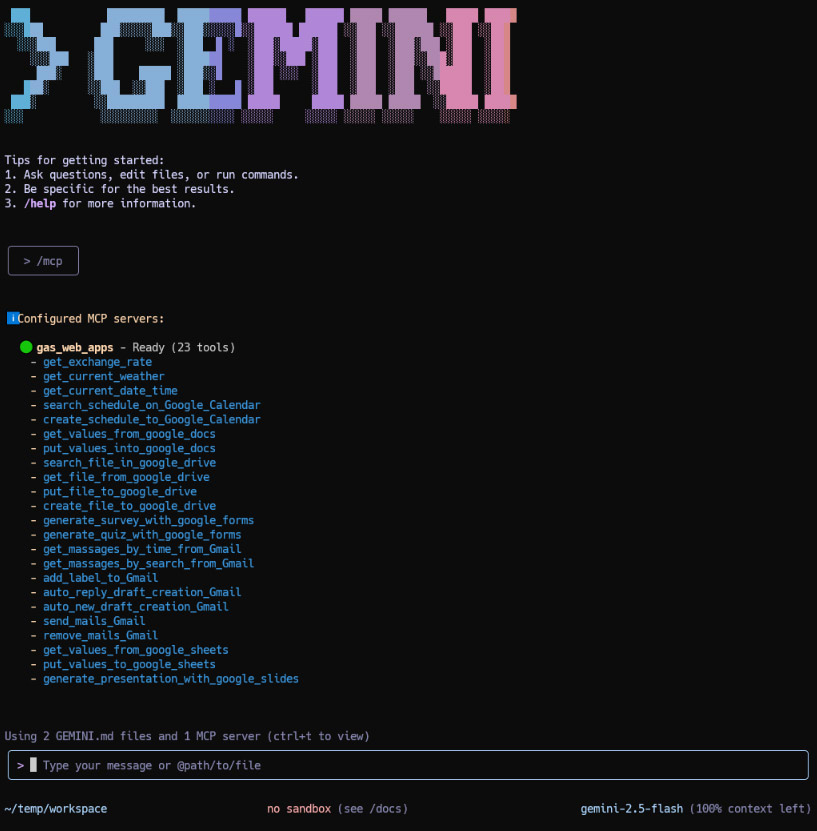
The Gemini CLI provides a powerful command-line interface for interacting with Google’s Gemini models. By leveraging the Model Context Protocol (MCP), the CLI can be extended with custom tools. This report explores the integration of the Gemini CLI with an MCP server built using Google Apps Script Web Apps. We demonstrate how this combination simplifies authorization for Google Workspace APIs (Gmail, Drive, Calendar, etc.), allowing Gemini to execute complex, multi-step tasks directly within the Google ecosystem. We provide setup instructions and several practical examples showcasing how this integration unlocks significant potential for automation and productivity enhancement.
Gists
Abstract
The Gemini CLI can be integrated with Google Workspace via Google Apps Script to securely access personal data, enabling powerful automations like email summaries and calendar management.
Introduction
The recently released Gemini CLI is a powerful command-line interface for interacting with Google’s Gemini models and cloud resources. Ref While powerful on its own, its utility can be significantly enhanced by connecting it to a user’s personal Google resources, such as Google Sheets, Docs, Slides, Gmail, and Calendar.
Gists

Abstract
A new unified Google Apps Script now deploys both Model Context Protocol (MCP) and Agent2Agent (A2A) networks as a single server, streamlining AI model integration for Google Workspace users.
Introduction
The rapid growth of generative AI has led to increasing integration between AI models, exemplified by protocols like the Model Context Protocol (MCP) and Agent2Agent (A2A) Protocol. Recently, I released MCPApp and A2AApp, which establish the MCP and A2A networks using Google Apps Script. Ref and Ref This approach offers significant advantages for users of Google Workspace and Google APIs, as it enables seamless authorization and integration of these resources directly within the applications.
MCPApp was updated to v2.0.0
-
v2.0.0 (June 12, 2025)
- From v2.0.0, both the MCP client and the MCP server can be built by Google Apps Script.
You can see the detail information here https://github.com/tanaikech/MCPApp
Gists
Abstract
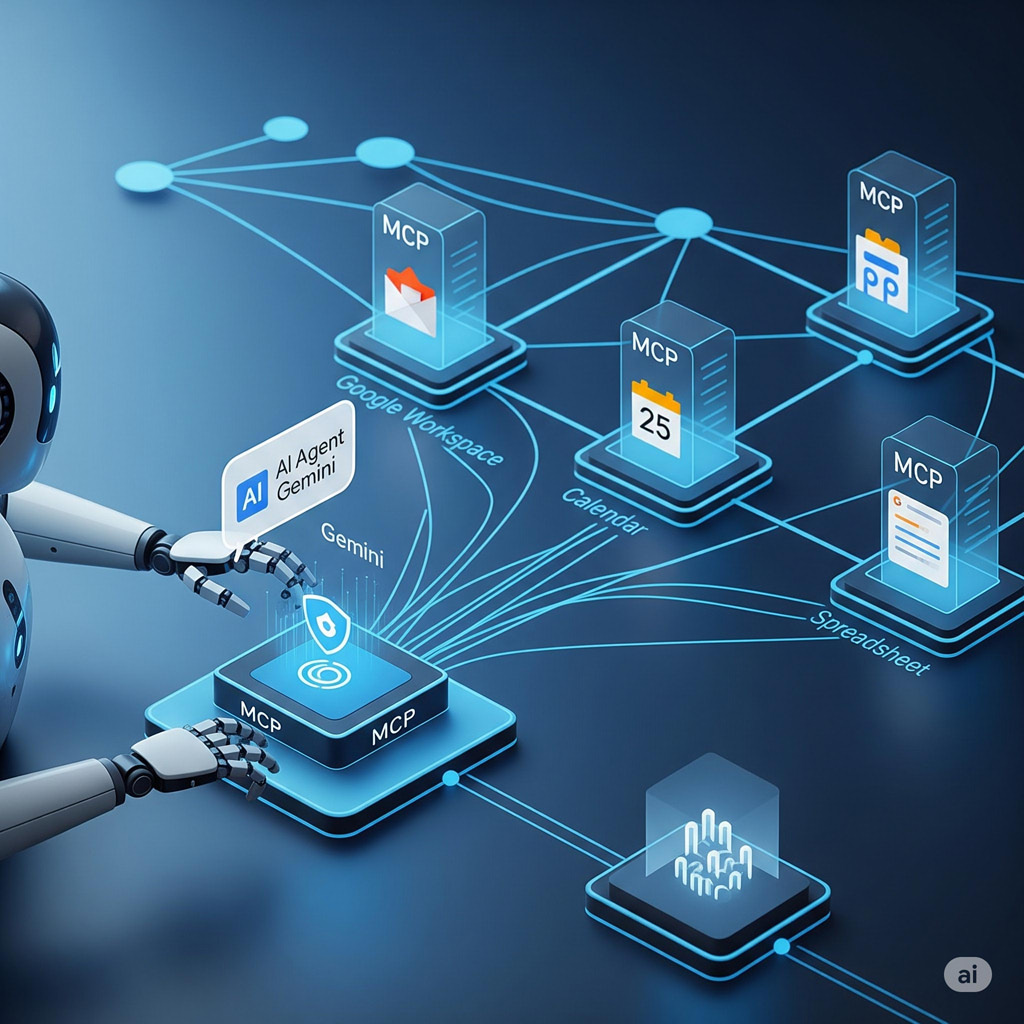
This report details an MCP network using Google Apps Script for both server and client, enabling automated, secure Gmail processing to boost efficiency.
Introduction
Recently, I published a report titled “Building Model Context Protocol (MCP) Server with Google Apps Script,” which you can find here. In that initial report, I demonstrated the feasibility of creating an MCP server using Google Apps Script, with Claude Desktop serving as the client.
MCPApp was updated to v1.0.2
-
v1.0.2 (May 29, 2025)
- From v1.0.2, in order to use MCPApp as a library, LockService is given.
You can see the detail information here https://github.com/tanaikech/MCPApp
Gists
Abstract
This report details transferring image data via Model Context Protocol (MCP) from Google Apps Script server to a Python/Gemini client, extending capabilities for multimodal applications beyond text.
Introduction
Following up on my previous report, “Building Model Context Protocol (MCP) Server with Google Apps Script” (Ref), which detailed the transfer of text data between the MCP server and client, this new report focuses on extending the protocol to handle image data. It introduces a practical method for transferring image data efficiently from the Google Apps Script-based MCP server to an MCP client. In this implementation, the MCP client was built using Python and integrated with the Gemini model, allowing for the processing and utilization of the transferred image data alongside text, thereby enabling more complex, multimodal applications within the MCP framework.
Gists

Abstract
This text introduces the Model Context Protocol (MCP) for standardizing AI interaction with external systems. It explores the potential of using Google Apps Script (GAS) to host an MCP server, leveraging GAS’s integration with Google Workspace for data access. A sample script demonstrates feasibility, highlighting the current absence of an official GAS SDK. The work aims to foster understanding and encourage SDK development.