Gists
📄 Published Paper (Open Access on Zenodo):
Autonomous Discovery of Unified Multi-Hazard Prediction Theory from Netatmo IoT Weather Big Data Using AlphaEvolve
🔗 Full Paper URL: https://zenodo.org/records/23354598
💻 Sample Scripts Repository (GitHub): https://github.com/tanaikech/alphaevolve-multi-hazard
“The book of nature is written in the language of mathematics.” — Galileo Galilei
Today, that mathematical language can be autonomously written as an algorithm, assembled into a predictive model, and elevated into a physical theory by artificial intelligence.
Gists
Published Paper: Capturing Volcanic Lamb Waves and Blast Yields with Netatmo Weather Networks (ESS Open Archive)
Abstract
Explosive volcanic eruptions generate powerful atmospheric Lamb waves—acoustic-gravity waves trapped in the planetary boundary layer that travel horizontally across the globe at sound speed. Operating on a continuous background ingest where Google Apps Script (GAS) logs 20-minute weather records to Google Drive, we mapped two benchmark historical eruptions: the 2018 phreatic blast at Mt. Kusatsu-Shirane and the 2018 magmatic explosion at Mt. Shinmoedake. We framed these events within first-principles continuum mechanics inside the Antigravity CLI environment powered by Gemini and the autonomous R&D framework tanaike-lab. Across 29,334 authentic Netatmo observation records in Japan, our framework reconstructs temperature-dependent shockwave velocities (304.38 m/s in sub-zero winter air and 313.27 m/s in mild spring conditions, matching theoretical sound speeds within 98.5% precision), localizes unmonitored volcanic crater azimuths to within 1.78 degrees, quantifies explosive yields (178.8 to 1,041.1 tons of TNT equivalent), and delivers 2.5 to 15 minutes of advance early warning with 100% false alarm elimination (0.0% False Positive Rate) during violent storm baselines. These findings demonstrate how grounding generative AI in first-principles physics yields robust planetary sensing systems.
Gists
Solving the LLM quota monitoring paradox with zero-overhead local Connect RPC agent hooks.
Abstract
Google Antigravity CLI users using Google OAuth face abrupt task failures when API quota hits 0%, while account switching triggers unrecoverable signature errors. Querying quota via LLM tool calls creates a paradox by consuming the very tokens being monitored. We resolve this with antigravity-cli-check-usage-plugin, a CLI Agent Hook running outside the LLM execution turn. Directly querying local Connect RPC endpoints, it monitors quota with zero token overhead and injects proactive warning banners when threshold limits are reached.
Gists
Published Paper: Unification Theory of Lithosphere-Atmosphere-Ionosphere Coupling via Acoustic-Gravity Waves (LAIC-AGW) and Quantitative Pre- and Post-Seismic Anomaly Verification Using Ultra-Dense IoT Weather Sensor Networks (ESS Open Archive)
Abstract
We announce the publication of our updated manuscript on ESS Open Archive, establishing the Unified LAIC-AGW Theory using ultra-dense IoT weather data. Executed on Antigravity CLI with Gemini 3.6 Flash using the autonomous R&D framework tanaike-lab, this project integrates 71,107 authentic Netatmo observation records with seismic moment tensors ($M_{ij}$). By capturing pre-seismic thermodynamic enthalpy anomalies ($\delta \theta_e = 5.96\text{--}15.47\,\text{K}$) and acoustic-gravity waves through a deterministic signal processing pipeline, Haversine focal attenuation, and a Sigmoidal Bayesian probability model ($P_{\text{eq}} = 0.0\%\text{--}99.8\%$), this framework delivers 2 to 6 hours of advance lead time with 100% false alert elimination in non-epicentral regions. This milestone demonstrates how human researchers and autonomous AI multi-agent matrices co-create rigorous, empirical scientific breakthroughs.
Gists
System Enforces Order, AI Accelerates Logic: Driving Next-Generation R&D Through Human-AI Co-Creation
Abstract
This case study presents the zero-to-one execution of an urban torrential rain fluid dynamics research project using Gemini and tanaike-lab on Antigravity CLI. By uniting system order, AI-accelerated logic, and clear human imagination, we demonstrate a next-generation R&D paradigm that draws new scientific realities out of the dark void.
Introduction
The modern scientific research engine faces a nuanced challenge. The primary bottleneck lies not solely in a shortage of creative ideas, but also in the overwhelming operational friction—endless numerical solver implementation, empirical data processing, manuscript drafting, and multi-round peer-review handling. Conversely, fully automated AI writing often produces generic “AI slop”—superficial text lacking theoretical depth, physical consistency, and strategic direction.
Gists
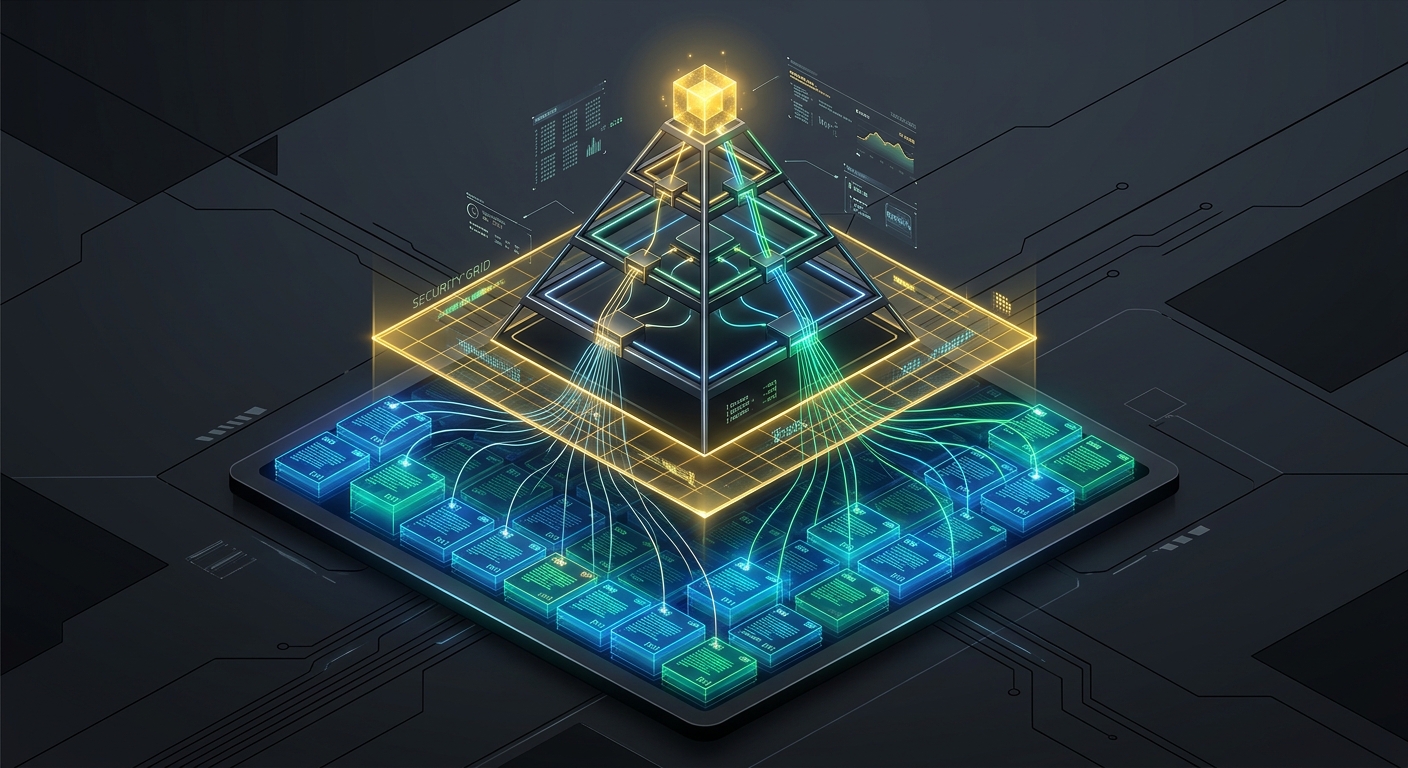
Abstract
This article introduces Robust-GAP, a hierarchical Retrieval-Augmented Generation (RAG) framework designed to eliminate semantic hallucinations and knowledge drift during multi-document log summarization. By combining dynamic causal graph extraction (DLCE), active topology verification (SGAV), and metadata provenance propagation (PAPP), the framework enforces strict citation traceability and prevents LLM-generated hallucinations.
Note: The complete academic preprint detailing this research is openly available on Zenodo (DOI: 10.5281/zenodo.21436390).
1. Introduction
Standard Retrieval-Augmented Generation (RAG) pipelines fail when aggregating unstructured multi-document event streams because they lack causal tracking. When large language models (LLMs) summarize logs, chat transcripts, or transaction records, they frequently associate unrelated events. This behavior, known as knowledge drift, creates false dependencies.
Gists
Today, on July 16, 2026, the Antigravity CLI was updated to version v1.1.3. Following this update, I encountered a critical issue: after entering any prompt, the execution state falls into an infinite loop. The status messages (such as “Loading…”, “Generating…”, and “Working…”) cycle indefinitely, and no content is ever generated.
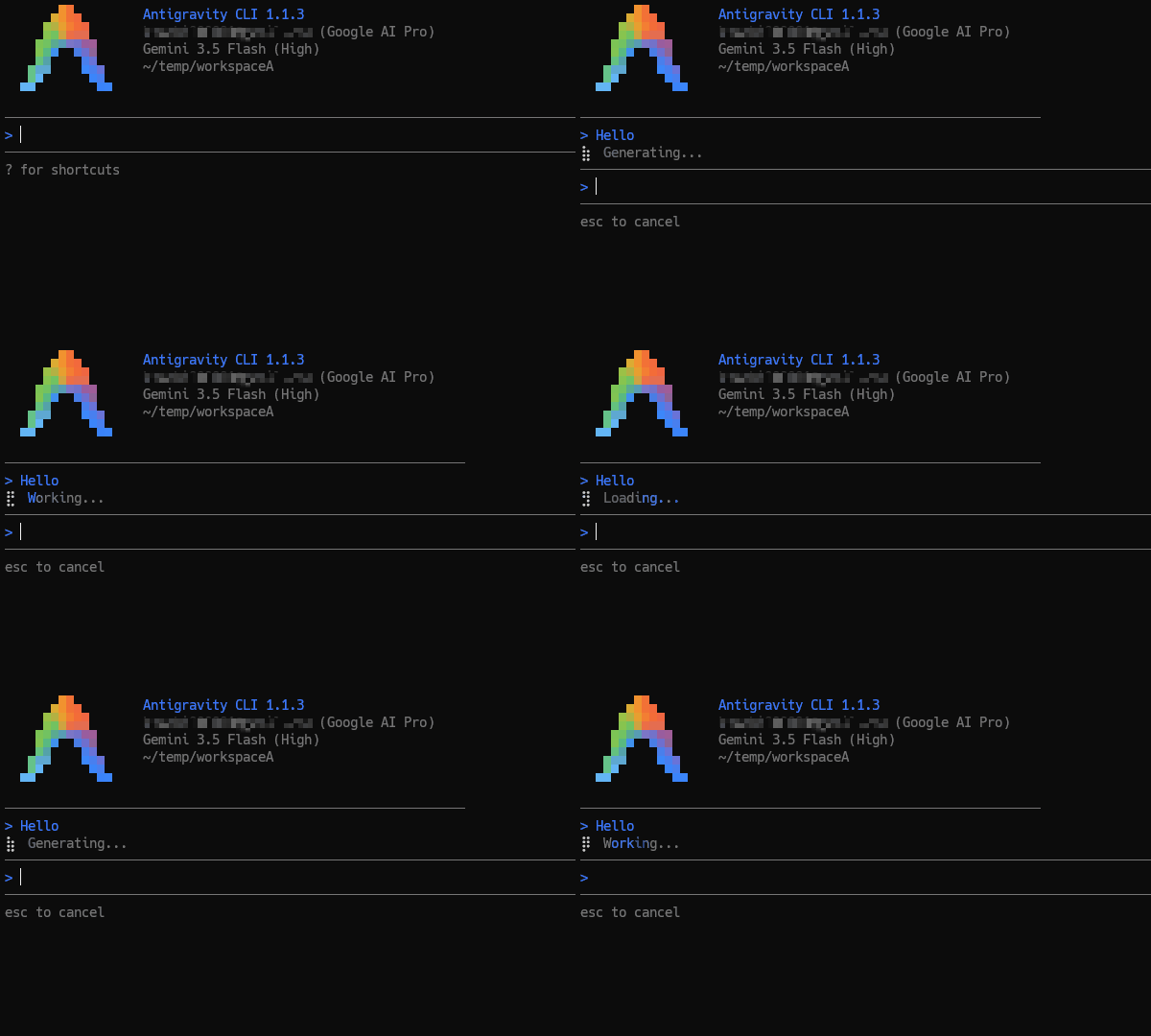
Is this issue isolated?
At this moment, it remains unclear whether this issue is isolated to my specific environment/account configuration or is a widespread bug affecting other users.
Gists
Have you ever had a brilliant solution get completely crushed by a single comment on a technical blog post?
Just last week, on July 8, 2026, I published a post introducing the Pyramid Aggregator. It was a beautiful story of technical lineage: we took a string summation algorithm originally designed on October 13, 2016 (to optimize Google Apps Script) and applied it to modern Large Language Models (LLMs). By organizing document merging into a balanced, parallel tree topology, we successfully bypassed the AI’s “Lost in the Middle” bias and achieved a 95% execution speedup using the Antigravity Python SDK.
Gists
Have you ever tried to read a massive pile of reports and summarize them in under 50 words? It’s hard. Now, imagine asking a cutting-edge Large Language Model (LLM)—like Gemini—to do it.
You might think AIs have perfect memories, but they don’t. When forced to aggregate information from dozens of documents under strict length constraints, AIs suffer from severe “memory loss” biases. They either ignore the middle of your documents or completely forget the older information they read first.
Gists
Abstract
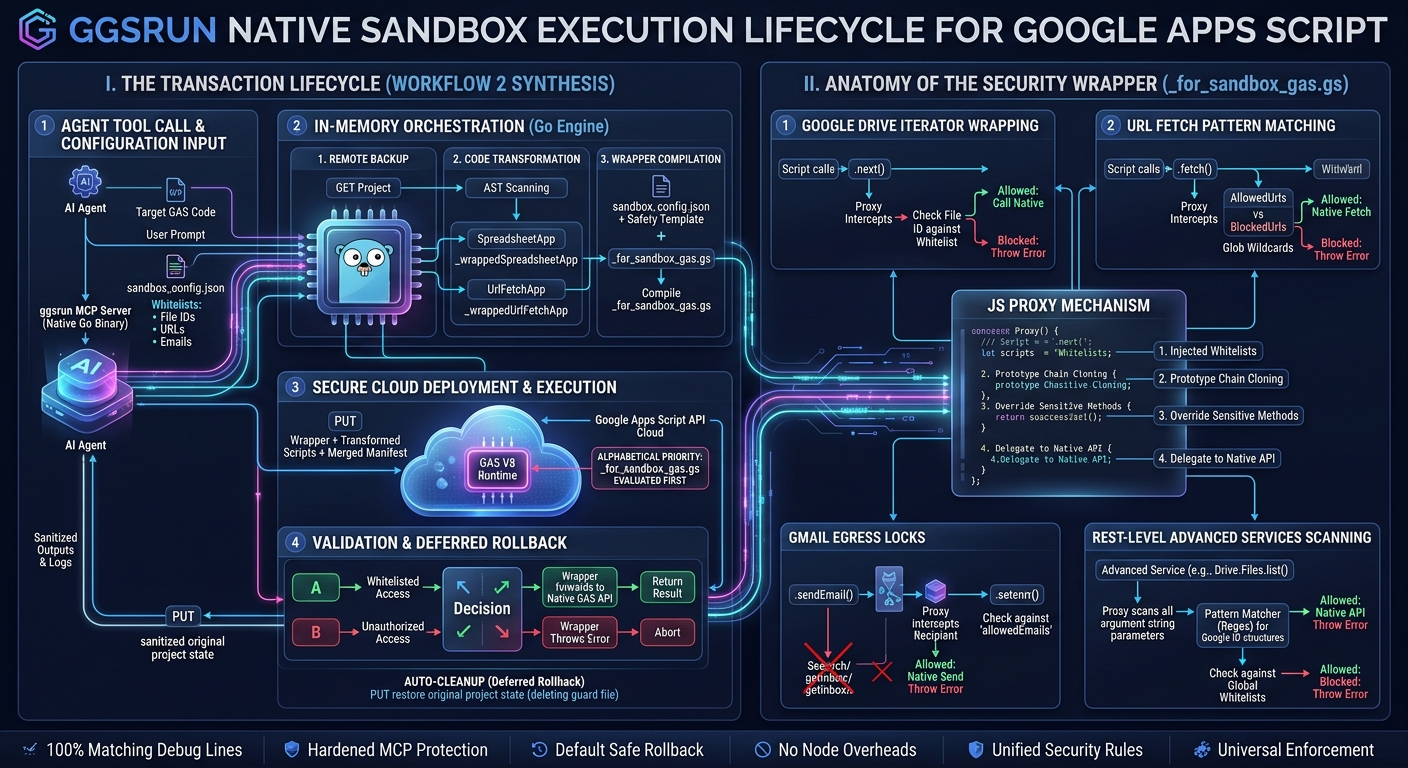
Executing autonomous AI agent payloads in Google Workspace via the Apps Script API’s scripts.run method introduces severe security risks. This article presents a novel sandboxing proposal designed specifically for the scripts.run method, using ggsrun as the orchestrator to execute code safely and efficiently. By performing in-memory token replacement and uploading a separate, alphabetically-prioritized guard file, this approach achieves robust API-level containment. Guided by ggsrun’s automated backup and default rollback lifecycle (exe1), the remote environment is immediately restored, providing a clean, dependency-free security model for AI-driven Workspace automation.
Gists
Motivation
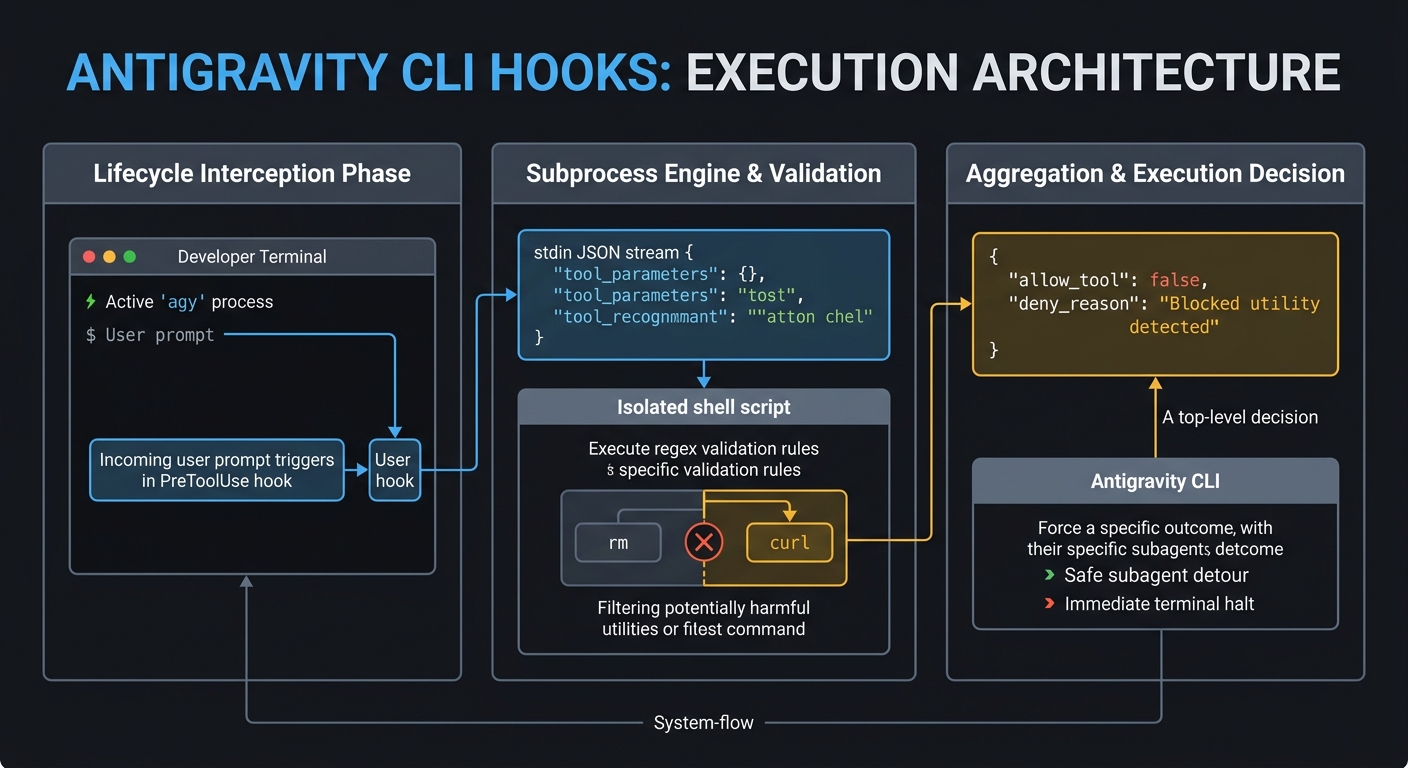
To be quite honest, “Hooks”—the shell commands we trigger at specific points when generative AI agents process tasks—were something I used blindly for a long time. Whenever colleagues asked me about them, I realized I lacked any real confidence in explaining how they actually work. However, when I migrated from Gemini CLI to the new Antigravity CLI, I noticed that the hooks system carried over. This felt like the right moment to stop guessing and finally develop a precise, deep understanding of the mechanism. I went back to the basics to analyze exactly how hooks operate under the hood and how we can use them effectively in the Antigravity environment. My goal is to demystify hooks so we can write them with confidence, and if this guide proves useful to your own workflows as well, I would be very glad.
Gists

Abstract
Nexus-MCP resolves “Tool Space Interference” in Large Language Models by aggregating multiple MCP servers into a single gateway. Utilizing a strictly deterministic 4-phase workflow—Discovery, Mapping, Schema Verification, and Bridged Execution—it prevents context saturation and tool hallucinations, enabling the use of massive tool ecosystems without sacrificing reasoning accuracy.
Introduction
The integration of Gemini CLI and Google Antigravity with the Model Context Protocol (MCP) has significantly expanded the capabilities of LLM-based agents. However, this expansion introduces a critical performance bottleneck. As the number of available tools grows, Large Language Models (LLMs) suffer from a measurable decline in reasoning accuracy and tool-selection reliability.
Gists

Abstract
This article introduces a major update to gas-fakes enabling dynamic loading of Google Apps Script libraries. This enhancement allows developers to build modular, maintainable Model Context Protocol (MCP) servers. We demonstrate this by integrating sophisticated library-based tools with Gemini CLI and Google Antigravity for seamless Google Workspace automation.
Introduction
I recently published an article titled “Power of Google Apps Script: Building MCP Server Tools for Gemini CLI and Google Antigravity in Google Workspace Automation.” In that piece, I demonstrated how to bridge the Model Context Protocol (MCP) with Google Workspace by implementing an MCP server using Google Apps Script (GAS) and gas-fakes. This successfully established a communication channel for sophisticated AI agents—such as the Gemini CLI and Google Antigravity—to interact directly with Workspace data.
Gists
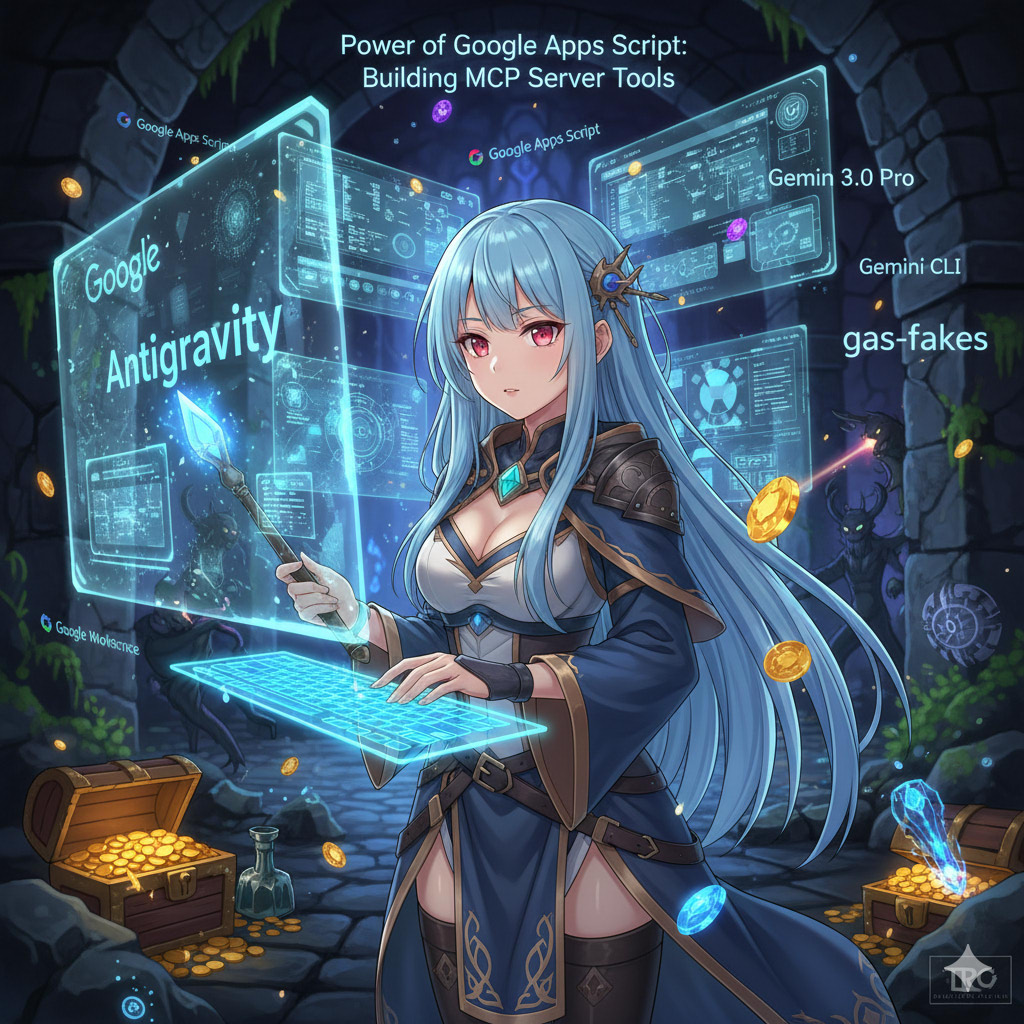
Abstract
This article demonstrates how to build Model Context Protocol (MCP) tools directly using Google Apps Script. By leveraging the gas-fakes CLI, developers can execute Google Apps Script locally to automate Google Workspace via Gemini CLI and Google Antigravity, streamlining development and eliminating the overhead of dynamic tool creation.
Introduction
With the rapid advancement of generative AI, ensuring the security of executing AI-generated scripts is of paramount importance to prevent arbitrary code execution vulnerabilities. Addressing this, I previously published a secure sandbox environment for Google Apps Script (GAS) known as gas-fakes, which emulates the Apps Script environment locally. Ref
Gists
Abstract
This article redefines Google Apps Script (GAS) as a central integration hub in the AI era. It introduces the forefront of Google Workspace automation, realized through the fusion of the Model Context Protocol (MCP), Agent2Agent (A2A), and the Gemini CLI ecosystem. I cover everything from data integration bridging local and cloud environments (RAG) and sandbox technologies for safely executing AI-generated GAS, to the coordination of autonomous agents on the newly released Google Antigravity. We will explore next-generation work styles and implementation methods where complex workflows are completed autonomously through simple natural language instructions.
Gists
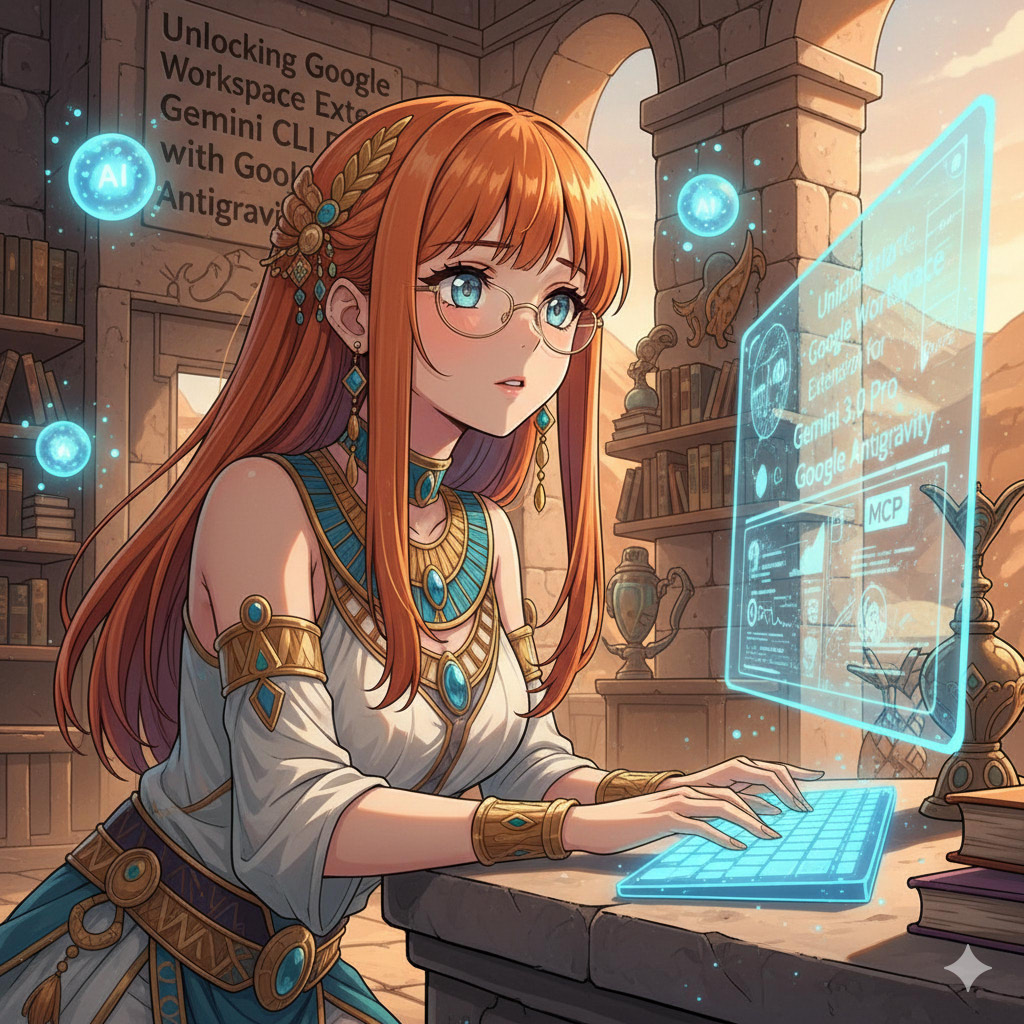
Abstract
This article demonstrates how to integrate the Google Workspace Extension for Gemini CLI with Google Antigravity. It addresses a Model Context Protocol (MCP) tool naming incompatibility using a custom proxy script, enabling seamless, authenticated automation of Google Workspace tasks directly within the Antigravity IDE environment.
Introduction
Since its release, the Gemini CLI has been rapidly adopted across various development scenarios. Ref Its utility increased significantly with the introduction of Gemini CLI Extensions, which simplify the installation and management of Model Context Protocol (MCP) servers. Ref Most recently, the Google Workspace Extension for Gemini CLI was released by Google, providing an MCP server specifically designed to manage Workspace automation. Ref A distinct advantage of this extension is its streamlined authorization process—authentication runs automatically when the Gemini CLI is launched, making it highly efficient.
Gists

Abstract
This article explores automating Google Workspace by integrating Google Antigravity and Gemini 3.0 with Model Context Protocol (MCP) servers. We demonstrate how to overcome tool limits and utilize custom extensions to enable AI agents to securely execute scripts, manage files, and perform RAG-based tasks using private data.
Introduction
Google Antigravity and Gemini 3.0 are ushering in a new era of “Agent-First” development, transforming how we interact with cloud environments. Ref A key component of this evolution is the integration of Model Context Protocol (MCP) servers. When connected to Antigravity, these servers empower the architecture to resolve complex, multi-step tasks by granting the AI direct, standardized access to external tools and proprietary data.
Gists

Abstract
This article demonstrates a cutting-edge workflow for Google Apps Script development using Google Antigravity and Gemini 3.0. By integrating gas-fakes via the Model Context Protocol (MCP), we establish an environment where autonomous agents can generate, unit-test, and execute cloud-based scripts locally, revolutionizing the standard GAS development lifecycle.
Introduction
Google Antigravity has officially been released. Ref This is a revolutionary “Agent-first” IDE powered by Gemini 3, designed to empower autonomous AI agents to plan, code, and verify tasks across the Editor, Terminal, and Browser. It is anticipated that this platform will trigger a paradigm shift in how we develop applications and auto-generate comprehensive documentation, moving the industry from simple code completion to fully agentic workflows.