Gists
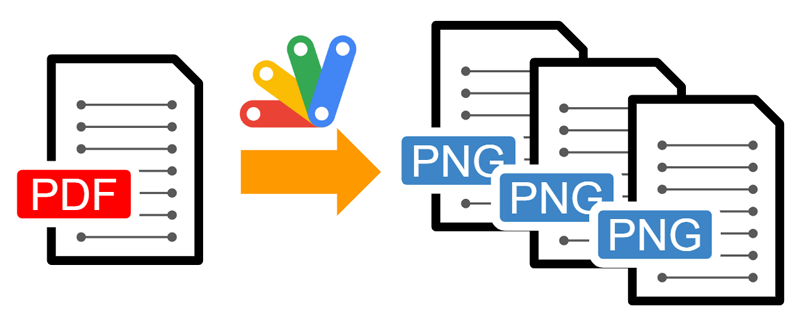
This is a sample script for converting all pages in a PDF file to PNG images using Google Apps Script.
I have already published “Merging Multiple PDF Files as a Single PDF File using Google Apps Script”. In this post, it was found that pdf-lib can be used with Google Apps Script. From this, in this post, I would like to propose a sample script for converting all pages in a PDF file to PNG images using Google Apps Script. This cannot be directly achieved with Google Apps Script. So, I thought that this might be useful for users.
Gists
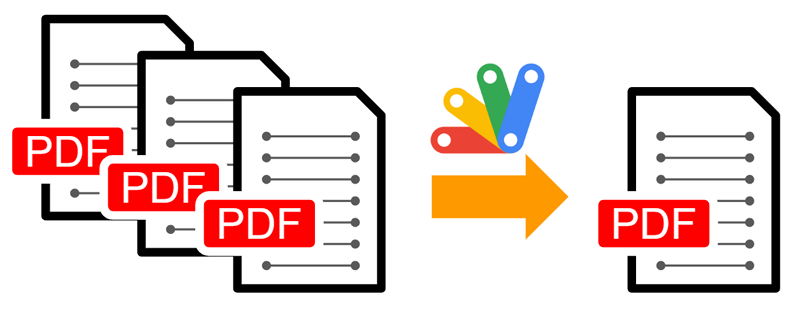
This is a sample script for merging multiple PDF files as a single PDF file using Google Apps Script.
In this sample script, pdf-lib is used. In the current stage, it seems that this Javascript can be directly used with Google Apps Script.
Sample script 1
As a sample situation, please put multiple PDF files in your Google Drive. This sample merges those PDF files as a single PDF file.
Gists
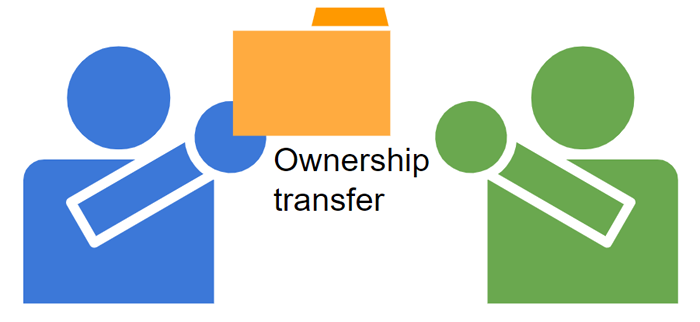
This is a sample script for transferring the ownership of a file to another user using Google Apps Script.
In the current stage, about the consumer account (gmail.com) the specification for transferring the ownership of a file has been changed as follows. Ref
- The current owner initiates an ownership transfer by creating or updating the prospective new owner’s file permission. The permission must include these settings: role=writer, type=user, and pendingOwner=true. If the new owner is creating a permission for the prospective owner, an email notification is sent to the prospective new owner indicating that they’re being asked to assume ownership of the file.
- The new owner accepts the ownership transfer request by creating or updating their file permission. The permission must include these settings: role=owner and transferOwnership=true. If the new owner is creating a new permission, an email notification is sent to the previous owner indicating that ownership has been transferred.
When this flow is reflected in the sample script, it becomes as follows.
Gists
This is a sample script for retrieving the start and end of the month in a year using Google Apps Script and Javascript.
Sample script
function myFunction() {
  const year = 2023; // Please set year you expect.
  const res = [...Array(12)].map((_, i) =>
    [0, 1].map((e) => new Date(year, i + e, 1 - e))
  );
  console.log(res);

  console.log(res.map(([a, b]) => [a.toDateString(), b.toDateString()]));
}
Testing
https://jsfiddle.net/mLrhqwgo/
When this script is run, the following value is obtained with console.log(res.map(([a, b]) => [a.toDateString(), b.toDateString()])).
[
  ["Sun Jan 01 2023", "Tue Jan 31 2023"],
  ["Wed Feb 01 2023", "Tue Feb 28 2023"],
  ["Wed Mar 01 2023", "Fri Mar 31 2023"],
  ["Sat Apr 01 2023", "Sun Apr 30 2023"],
  ["Mon May 01 2023", "Wed May 31 2023"],
  ["Thu Jun 01 2023", "Fri Jun 30 2023"],
  ["Sat Jul 01 2023", "Mon Jul 31 2023"],
  ["Tue Aug 01 2023", "Thu Aug 31 2023"],
  ["Fri Sep 01 2023", "Sat Sep 30 2023"],
  ["Sun Oct 01 2023", "Tue Oct 31 2023"],
  ["Wed Nov 01 2023", "Thu Nov 30 2023"],
  ["Fri Dec 01 2023", "Sun Dec 31 2023"]
]
Gists
Published: January 3, 2023
Kanshi Tanaike
Introduction
At Stackoverflow, a lot of people post questions and answers to the questions every day. There are various tags in Stackoverflow. A lot of discussions are performed at each tag. Their discussions bring important information and are much useful for a lot of people. As one of the tags, there is “google-apps-script”. I sometimes discuss the questions with that tag. When we see the discussions, we can notice that the discussions are changed and progressed over time, because “Google Apps Script” which is the origin of the tag is updated. This report thinks this change is the trend of the tag of “google-apps-script”. This trend includes the number of questions, questioners, answerers, and tags added to the tag of “google-apps-script”. The trend of the tag of “google-apps-script” is deeply related to the progression of Google Apps Script and the various applications for Google Apps Script.
Gists
This is a simple sample script for filtering JSON objects using Google Apps Script.
In the current stage, V8 runtime can be used with Google Apps Script. By this, when you want to filter a JSON object, you can use the following sample script.
Sample script
In this sample script, obj is filtered by the value of the even number.
const obj = { key1: 1, key2: 2, key3: 3, key4: 4, key5: 5 };
const res = Object.fromEntries(
  Object.entries(obj).filter(([, v]) => v % 2 == 0)
);
console.log(res); // {"key2":2,"key4":4}
-
When v % 2 == 0 is modified to v % 2 == 1, you can filter the JSON object with the odd number like {"key1":1,"key3":3,"key5":5}.
Gists
This sample script decrypts the salted base64 data of finance.yahoo.com using Google Apps Script.
Recently, when I saw the HTML of finance.yahoo.com, I noticed that the data is converted by the salted base64. In order to decrypt the data, it is required to use the key data. But, unfortunately, I couldn’t find the key data from the HTML. When I searched for it, I found this thread. From the thread, I could retrieve the key data. By this, I could a script for decrypting the salted base64.
Gists
This is a sample script for encrypting and decrypting with AES using crypto-js with Google Apps Script.
Unfortunately, in the current stage, Google Apps Script cannot encrypt and decrypt AES using the built-in functions. In this post, in order to achieve this, “crypto-js” is used from cdnjs.com ( https://cdnjs.com/libraries/crypto-js ). In the current stage, it seems that the main functions of crypto-js.min.js can be directly used with Google Apps Script. But, unfortunately, all functions cannot be used. Please be careful about this.
Gists
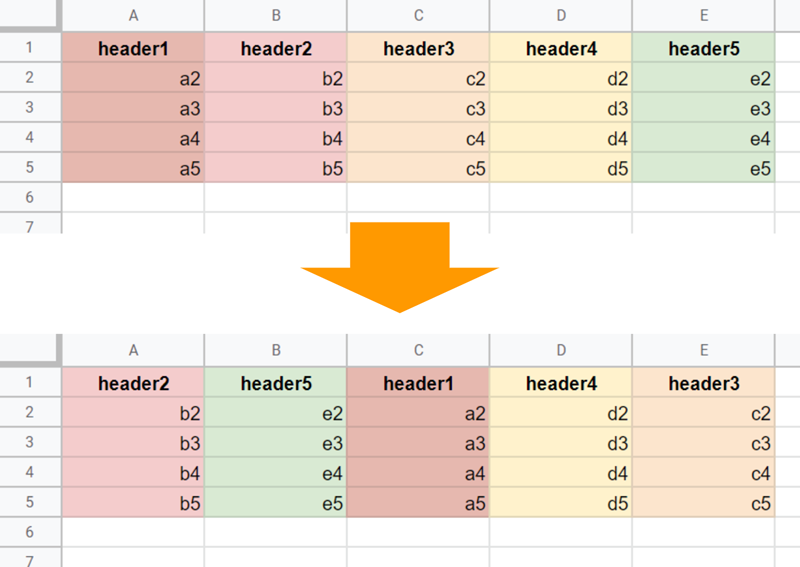
This is a sample script for rearranging columns on Google Spreadsheet using Google Apps Script.
Sample script
In this sample script, the initial columns of “header1”, “header2”, “header3”, “header4” and “header5” are rearranged to “header2”, “header5”, “header1”, “header4”, “header3”. This result can be seen at the above image.
As an important point, in this script, the header titles in the 1st row are used. Please be careful about this.
Gsits
This is a sample script for retrieving the values from a publicly shared Google Spreadsheet using an API key with Javascript.
Sample script
In this sample script, googleapis for Javascript is used.
<script async defer src="https://apis.google.com/js/api.js" onload="handleClientLoad()"></script>
<script>
function handleClientLoad() {
  const apiKey = "###"; // Please set your API key.
  const spreadsheetId = "###"; // Please set your Spreadsheet ID.

  gapi.load('client', async () => {
    await gapi.client.init({ apiKey, discoveryDocs: ["https://sheets.googleapis.com/$discovery/rest?version=v4"] });
    const { result } = await gapi.client.sheets.spreadsheets.values.get({ spreadsheetId, range: "Sheet1" });
    console.log(result);
  });
}