tanaike - Google Apps Script, Gemini API, and Developer Tips

The Thinker

Copying Sheet Including Charts from Google Spreadsheet to Another Google Spreadsheet using Google Apps Script

Gists

Abstract

This report presents a workaround for copying a sheet, including its charts, from Google Spreadsheet “A” to Google Spreadsheet “B” using Google Apps Script.

Description

In this report, I would like to introduce a workaround for the following goal:

  • Copying a sheet including charts from Google Spreadsheet “A” to Google Spreadsheet “B” using a script.

In general, when Sheets API is used, all objects of the Spreadsheet can be copied easily. However, when I tested this, I noticed the following problems:

GAS Library - GoogleApiApp

Overview

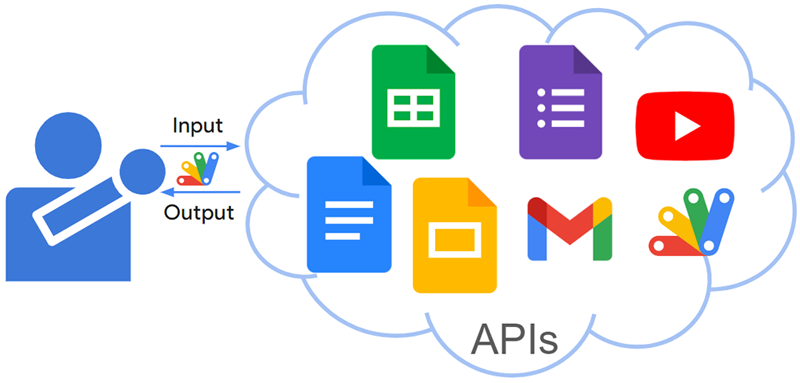
This is a Google Apps Script library for supporting to use Google APIs with Google Apps Script.

Description

There are numerous powerful Google APIs available today. Google Apps Script streamlines interacting with these APIs through a simplified authorization process. Additionally, advanced Google services integrate seamlessly with Apps Script, making Google APIs highly advantageous for users.

However, utilizing APIs beyond advanced Google services can be challenging for some users. Developing a simpler method for using various Google APIs would significantly increase their accessibility and empower a broader range of users to create diverse applications.

Empowering Everyone to Leverage Various Google APIs using Google Apps Script

Gists

Abstract

Google offers powerful APIs but using them (except advanced services) can be complex. A new, simpler method would benefit developers creating diverse applications. To address this, I built a Google Apps Script library simplifying API access.

Description

There are numerous powerful Google APIs available today. Google Apps Script streamlines interacting with these APIs through a simplified authorization process. Additionally, advanced Google services integrate seamlessly with Apps Script, making Google APIs highly advantageous for users.

Updated goodls to v205

  • v2.0.5 (March 10, 2023)

    1. From this version, when the API key is used, the large file is downloaded by the API key. Because the specification for downloading the shared large file is sometimes changed. When the API key is not used, the shared large file is downloaded by the current specification (v2.0.4). If the shared large file cannot be downloaded by the change of the specification on Google’s side, please use the API key and test it again. The usage of goodls has not changed.

The detail information and how to get this are https://github.com/tanaikech/goodls.

Updated goodls to v204

  • v2.0.4 (March 9, 2023)

    1. From January 2024, it seems that the specification of the process for downloading a large shared file on Google Drive has been changed. So I updated goodls to reflect this. The usage of goodls has not changed. In the current stage, when a large share file is downloaded, it is required to click the following button.
    <form
      id="download-form"
      action="https://drive.usercontent.google.com/download"
      method="get"
    >
      <input
        type="submit"
        id="uc-download-link"
        class="goog-inline-block jfk-button jfk-button-action"
        value="このままダウンロード"
      />
      <input type="hidden" name="id" value="fileId" />
      <input type="hidden" name="export" value="download" />
      <input type="hidden" name="authuser" value="0" />
      <input type="hidden" name="confirm" value="t" />
      <input type="hidden" name="uuid" value="uuId" />
      <input type="hidden" name="at" value="some value" />
    </form>
    

    In this version, the URL obtained by this click is created, and the created URL is used for downloading it.

Enhanced Search using Gemini API

Gists

Abstract

The Gemini API can now do semantic searches, going beyond content generation. This means it can understand the meaning of your search and provide better results, even if your words don’t exactly match the data. This report introduces the enhanced search capabilities of the Gemini API.

Introduction

The Gemini API expands its potential beyond content generation to encompass powerful semantic search capabilities. Searching existing data is crucial in various situations. However, before the introduction of generative AI, traditional search methods relied solely on keyword matching. Recent advancements in semantic search have introduced similarity search, allowing for a more nuanced understanding of queries. Combining this with the generative power of the Gemini API can significantly enhance the search results of existing data. This report explores the possibilities of enhanced search using the Gemini API.

Technique for Protecting Google Spreadsheet using Google Apps Script

Gists

Abstract

Google Apps Script automates tasks like managing protections in Google Spreadsheets. These protections control user access to specific cells. While scripts exist for this purpose, users still encounter challenges, prompting this report. The report aims to introduce techniques for managing protections using sample scripts, helping users understand and implement this functionality.

Introduction

Google Apps Script is a powerful tool that enables seamless management of Google Documents, Spreadsheets, Slides, Forms, APIs, and more. It is particularly effective for automating tasks within Google Spreadsheets. Google Spreadsheets offer cell protection capabilities, allowing you to define editable areas for different collaborators. Google Apps Script can effectively manage these protections. While online resources like Stack Overflow often feature questions related to spreadsheet protection, this report aims to introduce practical techniques through sample scripts. This will help users understand how to manage Google Spreadsheet protections using Google Apps Script.

Similarity Viewer using Gemini API with Google Spreadsheet and Google Apps Script

Gists

Abstract

The Gemini API enables both content generation and semantic search, managing data effectively. This report introduces a Gemini-powered similarity viewer for easy visualization of complex text similarity scores, using Google Spreadsheet and Apps Script.

Introduction

The Gemini API unlocks new possibilities, extending its capabilities beyond content generation to encompass semantic search. Within this context, the API excels at efficiently managing data within corpora. While semantic search provides valuable similarity scores (chunkRelevanceScore) for text pairs, interpreting these numerical values can be cumbersome. This report addresses this challenge by introducing a novel similarity viewer, built upon the powerful trio of Gemini API, Google Spreadsheet, and Google Apps Script. This user-friendly tool allows us to visually represent the similarity of texts, transforming numerical data into an intuitive and easily digestible format.