Gists

This is a simple sample script for uploading a video file on Google Drive to YouTube with the resumable upload using Google Apps Script.
When you want to upload a video file to YouTube using Google Apps Script, when YouTube API of Advanced Google services is used, the maximum file size is 5 MB, because, in this case, the video file is uploaded with multipart/form-data. When you want to use a video file with more file size using Google Apps Script, a resumable upload is required to be used. But, unfortunately, in the current stage, the methods of Google Apps Script for uploading large video files are not prepared. And also, when I saw the document of resumable upload on YouTube in the official document, I thought that it might be a bit complicated for understanding the resumable upload process. Ref So, in this post, I would like to introduce a simple sample script for uploading video data of more than 5 MB with the resumable upload using Google Apps Script. In this case, the video file is existing in Google Drive. The video file on Google Drive is uploaded to YouTube using Google Apps Script. When this sample script will help you understand the resumable upload of YouTube, I’m glad.
Gists
This is a sample curl command for uploading a video file to YouTube with the resumable upload using YouTube API.
In order to upload a video file to YouTube with the resumable upload using YouTube API, the following 2 processes are required to be done. The basic process of the resumable upload for YouTube is the same with Drive API. Ref So, I think that this document of Drive API might be useful for understanding the resumable upload process.
Gists
This is a sample script for retrieving the values of subscriberCount of the channel from the video URLs of YouTube using Google Apps Script.
In this sample, the video URLs are retrieved from Spreadsheet. And, the retrieved values of subscriberCount are put to the Spreadsheet. The sample Spreadsheet is as follows.
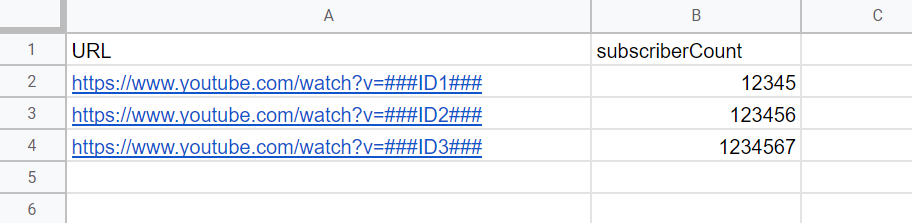
Sample script
Please copy and paste the following script to the script editor of Spreadsheet. Before you use this script, please enable YouTube Data API v3 at Advanced Google services. Ref And, please set the sheet name.
Gists
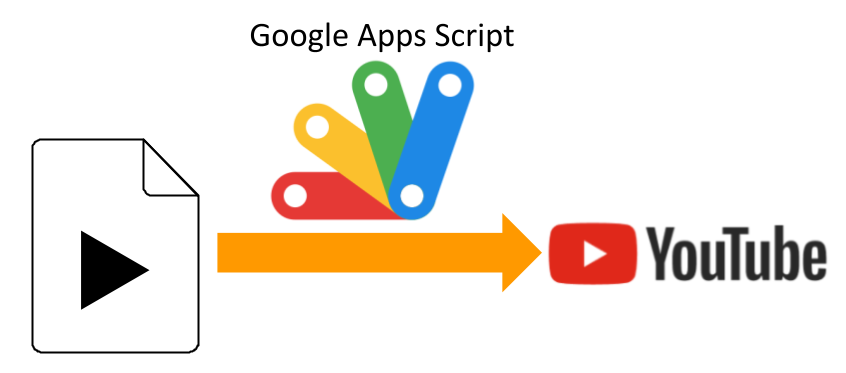
This is a sample script for uploading a movie file on Google Drive to YouTube using Google Apps Script.
Before you use these scripts, please enable YouTube API at Advanced Google services. Ref
Sample script 1
This sample script uses YouTube API at Advanced Google services.
function myFunction() {
  const fileId = "###"; // Please set the file ID of movie file on the Google Drive.

  const res = YouTube.Videos.insert(
    { snippet: { title: "sample title", description: "sample description" } },
    ["snippet"],
    DriveApp.getFileById(fileId).getBlob()
  );
  console.log(res);
}
Sample script 2
This sample script requests to the endpoint of YouTube API with UrlFetchApp by creating the request body. This script requests with multipart/form-data.