Achieving Search of Files by 'is:unorganized owner:me' using Google Apps Script

Gists

This is a sample script for achieving the search of files by is:unorganized owner:me using Google Apps Script.

In the current stage, unfortunately, the files cannot be directly retrieved by searching is:unorganized owner:me with Drive API and Drive service. So as the current workaround, all files are retrieved using the method of “Files: list” of Drive API with 'me' in owners and trashed = false, and the file list is retrieved from all file list using a script.

Sample Scripts for Creating New Event with Google Meet Link to Google Calendar using Various Languages

Gists

This is the sample scripts for creating new event with Google Meet link to Google Calendar using various languages. When I saw the official document of “Add video and phone conferences to events”, in the current stage, I can see only the sample script for Javascript. But I saw the several questions related to this for various languages. So I published the sample scripts for creating new event with Google Meet link to Google Calendar using various languages.

Converting Texts to Bold, Italic and Bold-Italic Types of Unicode using Google Apps Script

Gists

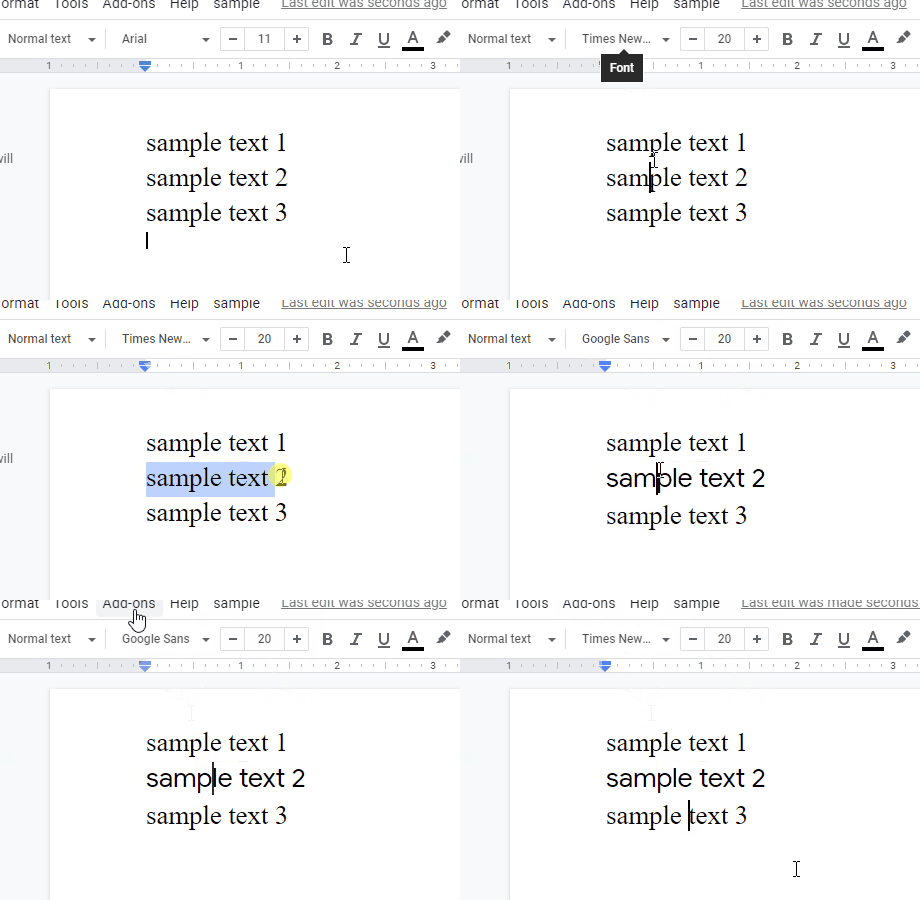
This is a sample script for converting the texts to the bold, italic, bold-italic types, underline and strike through of the unicode using Google Apps Script. In the current stage, at Google Docs (Spreadsheet, Document, Slides and so on), the rich texts cannot be directly managed for all places using Google Apps Script. But there are the places which can use the bold, italic and bold-italic fonts with the unicode. This sample script uses this. When this sample script is used, for example, the bold, italic and bold-italic texts can be put using SpreadsheetApp.getUi().alert(convertedText).

Replacing Multiple Values in Google Spreadsheet with Low Process Cost using Google Apps Script

Gists

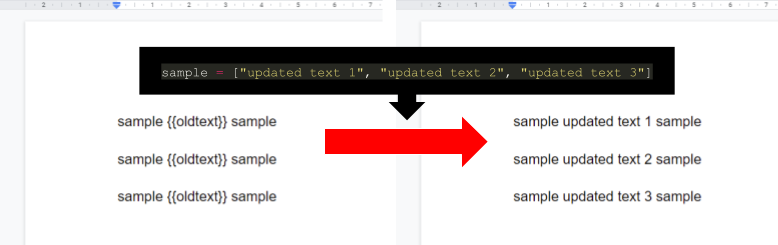
This is a sample script for replacing the multiple values with various values in Google Spreadsheet with the low process cost using Google Apps Script. In this script, the batchUpdate method of Sheets API is used. So the request can be done by one API call. When Spreadsheet services is used for this situation, the values are retrieved from the sheet and replaced the retrieved values, and then, the updated values are put to the sheet. Or the TextFinder is used in a loop. In this case, the process cost is higher than that using Sheets API. By using the bathUpdate method of Sheets API, the process cost is reduced.

Benchmark: Measuring Process Costs for Formulas in Cells on Google Spreadsheet using Google Apps Script

Gists

Description

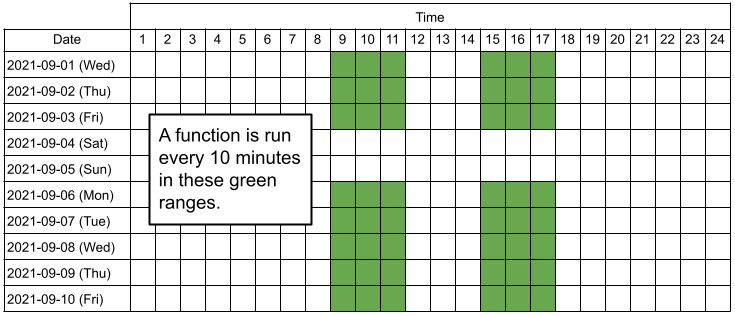
When Google Spreadsheet is used, there is the case that the built-in functions and the custom functions in the cells are used. For the functions of Google Apps Script, there is the method for measuring the process cost. Ref But for the built-in functions, it is required to create the script for it. In this report, the script for measuring a function put in a cell has been proposed, and the process cost of the built-in functions has been measured. The proposed script can measure the process cost for the built-in functions and custom functions on Google Spreadsheet. The script is created with using Google Apps Script. When the process cost can be known for the built-in functions and custom functions, it is considered that it will be useful for the developers using Google Spreadsheet.

Downloading Google Spreadsheet as XLSX and PDF file by Clicking Button

Gists

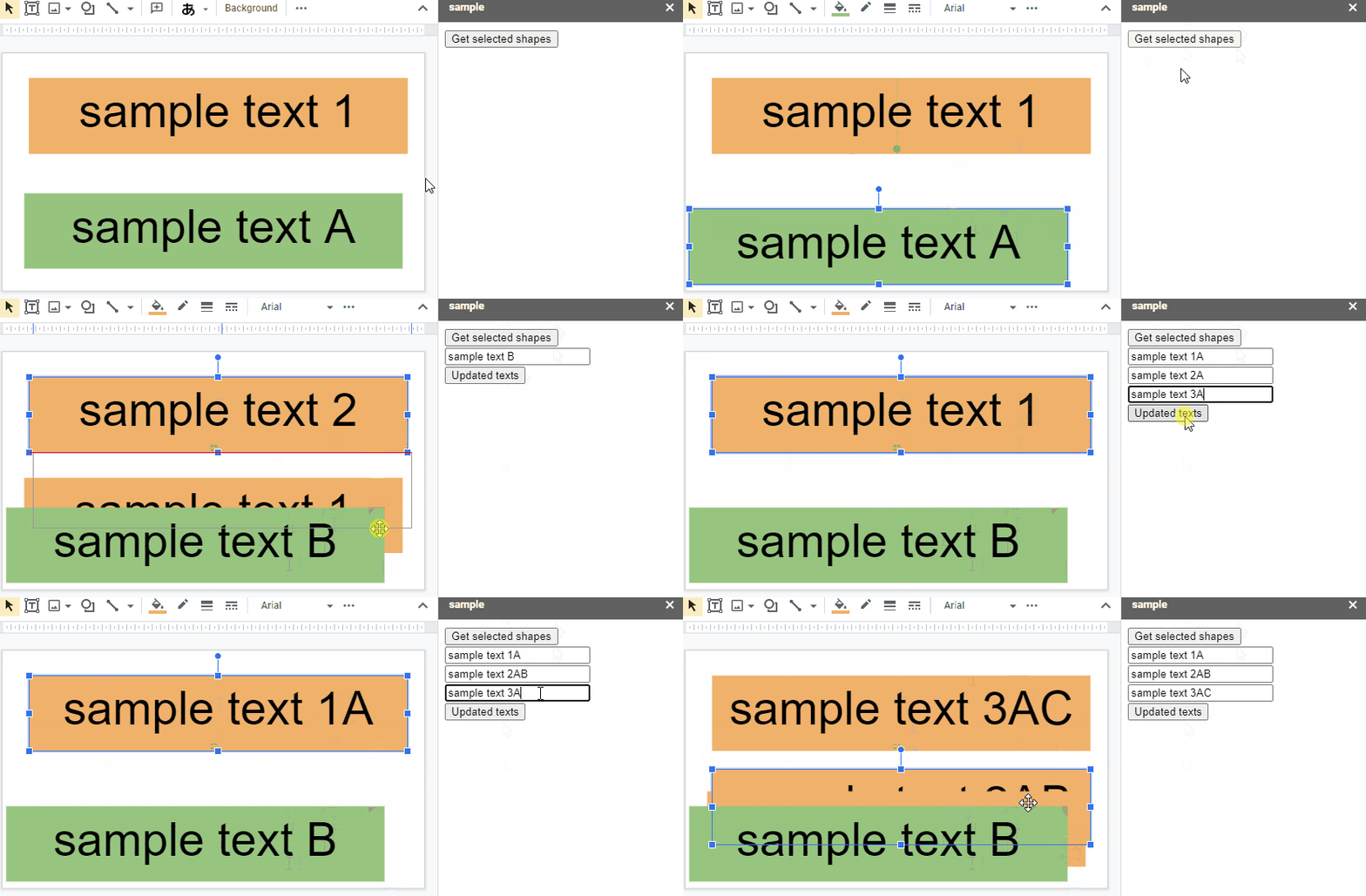
This is a sample script for downloading Google Spreadsheet to the local PC as a XLSX file and a PDF file when a button on the side bar and the dialog is clicked. This is created with Google Apps Script and HTML&Javascript.

Downloading Google Spreadsheet as XLSX and PDF file by Clicking Button

Sample script

Please create new Google Spreadsheet and copy and paste the following scripts to the script editor. And please run openSidebar(). By this, the side bar is opened to the Spreadsheet.

User Runs Script for Range Protected by Owner using Google Apps Script

Gists

There is a situation that it wants to make users run a script for the range protected by the owner using Google Apps Script. This is a sample script that an user runs a script for the range protected by the owner using Google Apps Script.

Demo

User Runs Script for Range Protected by Owner using Google Apps Script

This demonstration shows the following situations.

  • Spreadsheet is shared with an user.

Benchmark: Process Costs for Retrieving Values from Arrays for Spreadsheet using Google Apps Script

Gists

Introduction

Here, I would like to report the process costs for retrieving the values from the arrays for Spreadsheet using Google Apps Script (GAS). When Spreadsheet is used with Google Apps Script, we have the following situations.

  1. Retrieve values from the multiple rows in a column.

  2. Retrieve values from the multiple columns in a row.

When the values are retrieved from above situations, it is required to retrieve the values from 1 dimensional array in the 2 dimensional array. In this report, the process costs for retrieving the values from the 2 dimensional array of above situations have been measured.

Creating Multiple Buttons on Google Spreadsheet using Google Apps Script

Gists

This is a sample script for creating the multiple buttons on Google Spreadsheet using Google Apps Script.

Recently, I have got several contacts about this. I thought that when this is published, it might be useful for other users. So I published this sample script.

Creating Multiple Buttons on Google Spreadsheet using Google Apps Script

Sample script

Please copy and paste the following script to the script editor of the container-bound script of Google Spreadsheet. And, please set the variables and run the function createButtons. By this, the buttons are created to the cells.