This is a sample script for cropping images in the Google Slides using Google Apps Script. In the current stage, in order to crop the images in Google Slides, it is required to use replace(blobSource, crop) Because, although there is the “cropProperties” of “UpdateImagePropertiesRequest” in Slides API, unfortunately, in the current stage, this cannot be still used. This has already been reported. Ref
About cropping using replace(blobSource, crop), I thought that how to use might be a bit difficult. So here, I would like to introduce a sample script for using replace(blobSource, crop).
Demo
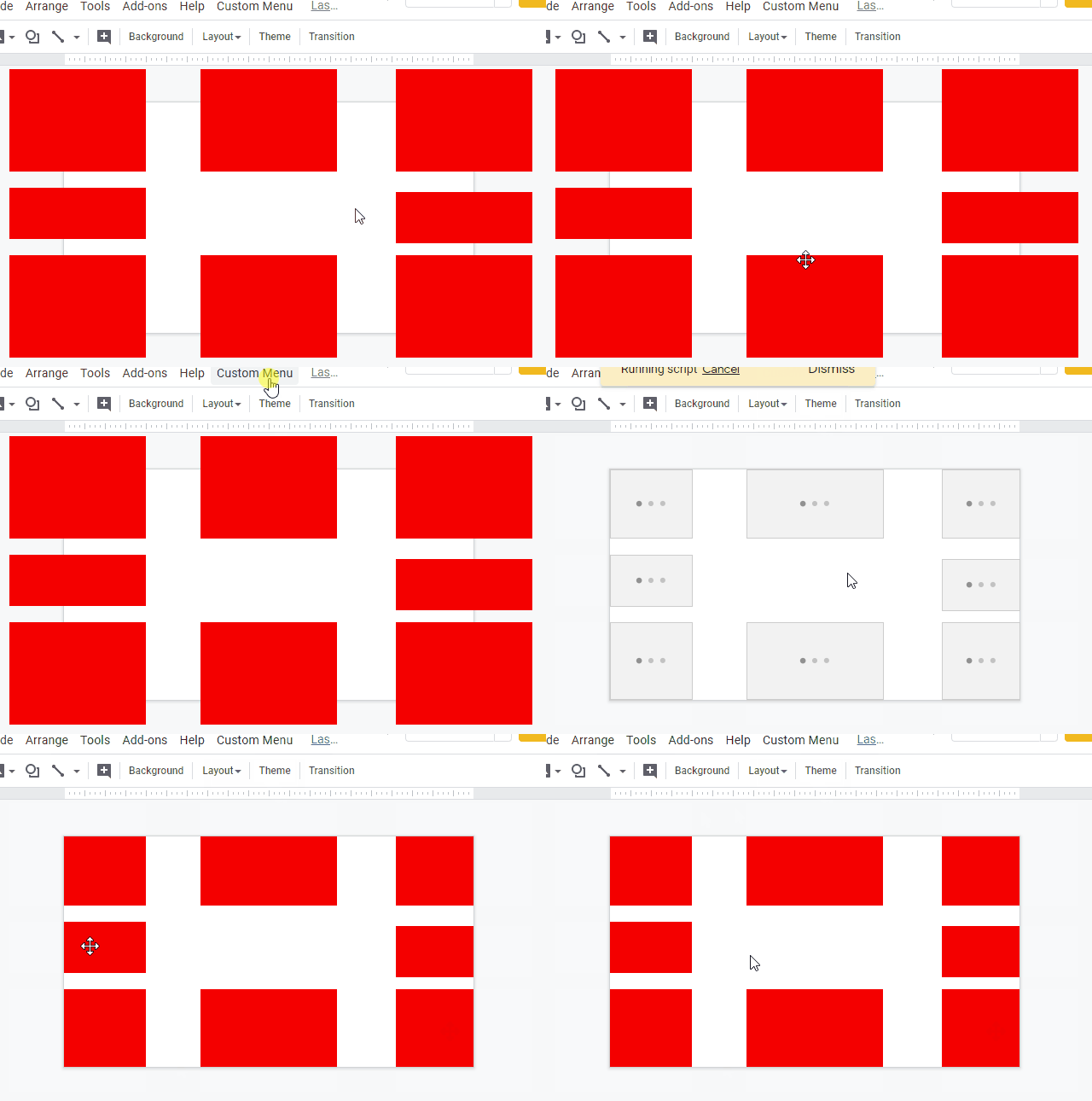
Sample script
function main() {
  // Top
  const cropTop_ = (obj) => {
    const temp = obj.image
      .duplicate()
      .setHeight(obj.imagePositionTop + obj.imageHeight)
      .asImage()
      .replace(obj.image.getBlob(), true)
      .setTop(0);
    obj.image.remove();
    obj.image = temp;
  };

  // Bottom
  const cropBottom_ = (obj) => {
    const temp = obj.image
      .duplicate()
      .setHeight(obj.pageHeight - obj.imagePositionTop)
      .asImage()
      .replace(obj.image.getBlob(), true);
    obj.image.remove();
    obj.image = temp;
  };

  // Left
  const cropLeft_ = (obj) => {
    const temp = obj.image
      .duplicate()
      .setWidth(obj.imagePositionLeft + obj.imageWidth)
      .asImage()
      .replace(obj.image.getBlob(), true)
      .setLeft(0);
    obj.image.remove();
    obj.image = temp;
  };

  // Right
  const cropRight_ = (obj) => {
    const temp = obj.image
      .duplicate()
      .setWidth(obj.pageWidth - obj.imagePositionLeft)
      .asImage()
      .replace(obj.image.getBlob(), true);
    obj.image.remove();
    obj.image = temp;
  };

  const getParams_ = (s, image) => {
    const obj = {
      image: image,
      pageHeight: s.getPageHeight(),
      pageWidth: s.getPageWidth(),
      imagePositionLeft: image.getLeft(),
      imagePositionTop: image.getTop(),
      imageWidth: image.getWidth(),
      imageHeight: image.getHeight(),
    };
    obj.checkRight = obj.imagePositionLeft + obj.imageWidth - obj.pageWidth;
    obj.checkBottom = obj.imagePositionTop + obj.imageHeight - obj.pageHeight;
    return obj;
  };

  const s = SlidesApp.getActivePresentation();
  const slide = s.getSlides()[0]; // 1st page
  const images = slide.getImages();

  images.forEach((image) => {
    const obj = getParams_(s, image);

    // Top
    if (
      obj.imagePositionTop < 0 &&
      obj.imagePositionTop + obj.imageHeight > 0
    ) {
      cropTop_(obj);
    }
    // Bottom
    if (obj.checkBottom > 0 && obj.checkBottom < obj.imageHeight) {
      cropBottom_(obj);
    }
    // Left
    if (
      obj.imagePositionLeft < 0 &&
      obj.imagePositionLeft + obj.imageWidth > 0
    ) {
      cropLeft_(obj);
    }
    // Right
    if (obj.checkRight > 0 && obj.checkRight < obj.imageWidth) {
      cropRight_(obj);
    }
  });
}
Limitations
In the current stage, there are several limitations of replace(blobSource, crop) as follows.
-
One limitation can be seen at the official document as follows.
cropBoolean: If true, crops the image to fit the existing image’s size. Otherwise, the image is scaled and centered.- I confirmed that when the image is cropped using
replace(blobSource, crop), the center of image is left. It seems that this is the current specification. This can be also seen at the following demo scene.
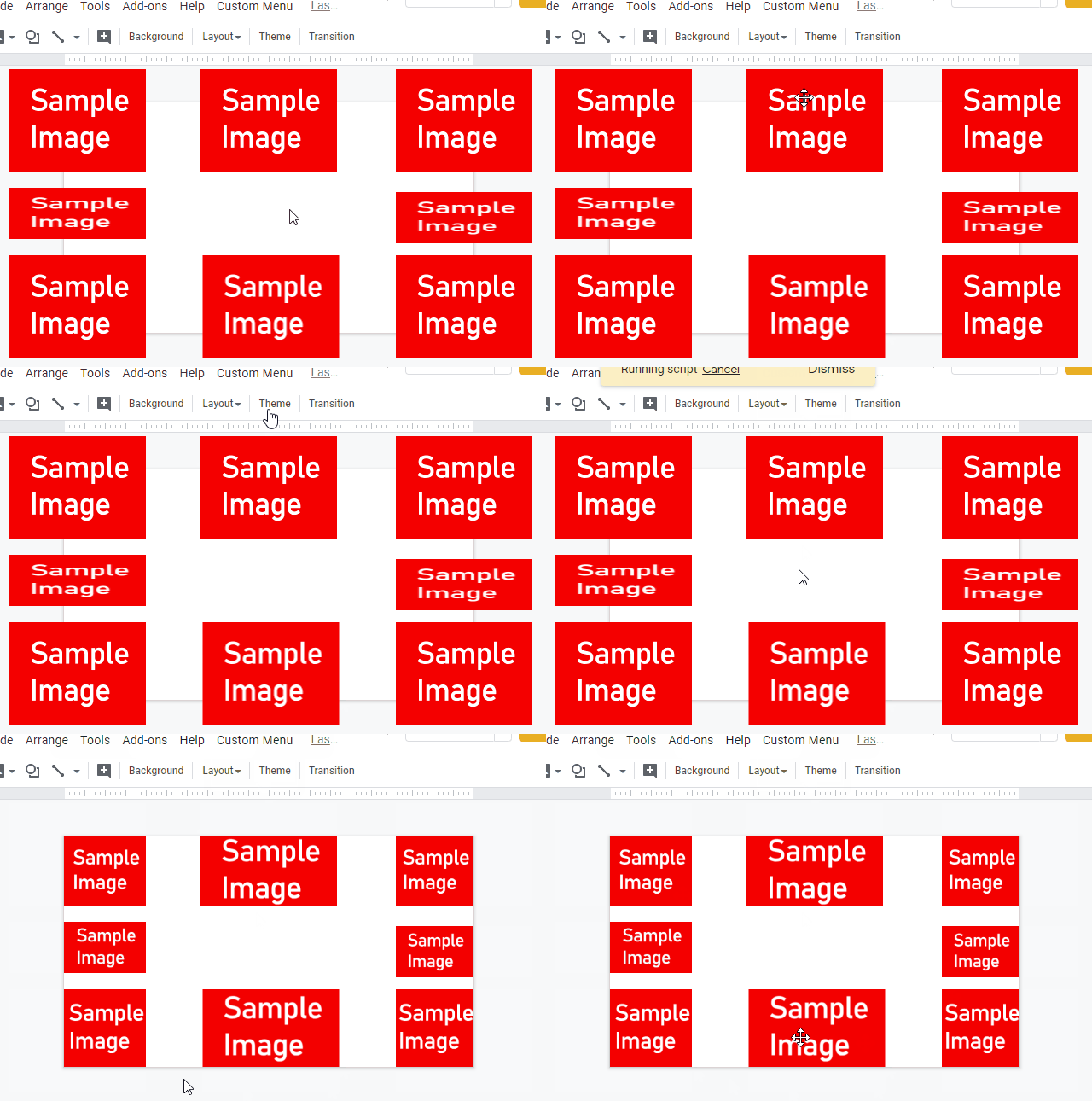
- I confirmed that when the image is cropped using
-
Cropping parameters can be retrieved by Slides API. But these values cannot be used.
- Slides API cannot still use the crop.
References
- replace(blobSource, crop)
- CropProperties
- Would it be possible to crop image using google app script without using any third party api
- I answered above method at this thread at Stackoverflow.